Capture & Edit
Like a Pro
The fastest way to capture and annotate screenshots directly in your browser. A 100% open-source tool with no extra software needed and no privacy compromises.
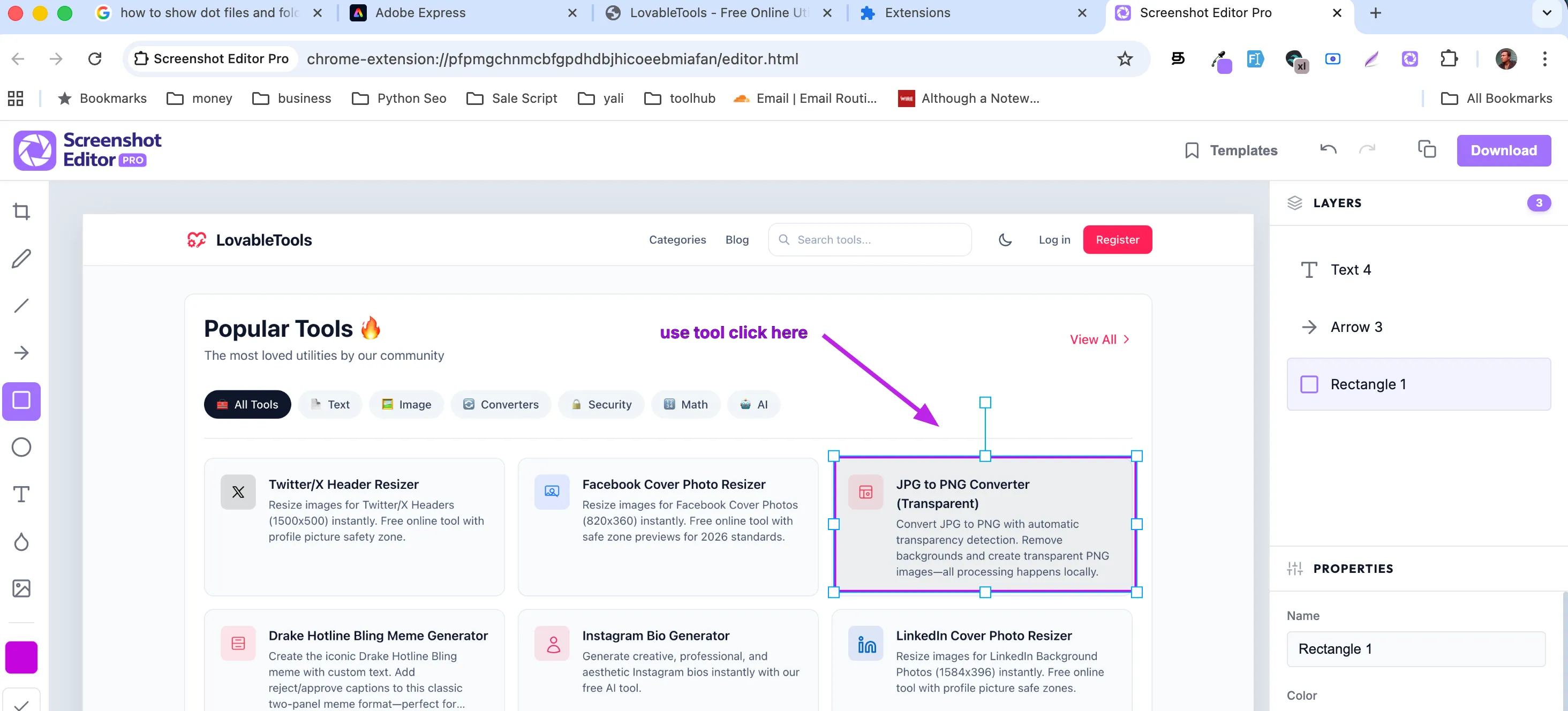
Built for Speed
Everything you need to capture, edit, and share without leaving your browser tab.
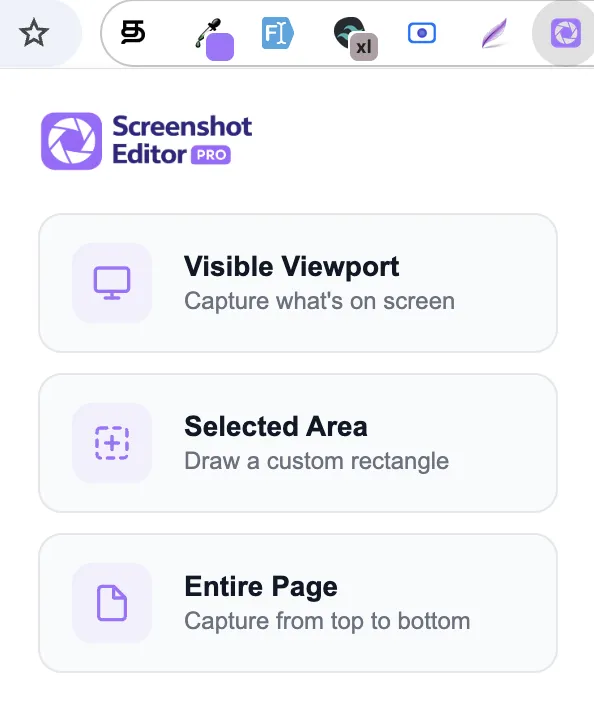
Different modes for different needs
Choose between capturing the visible area, a specific selection, or the entire page. My engine handles scrolling and stitching automatically for pixel-perfect results.
Visible Area
Capture what you see right now.
Select Area
Drag to capture a specific region.
Full Page
Capture the entire scrolling page.

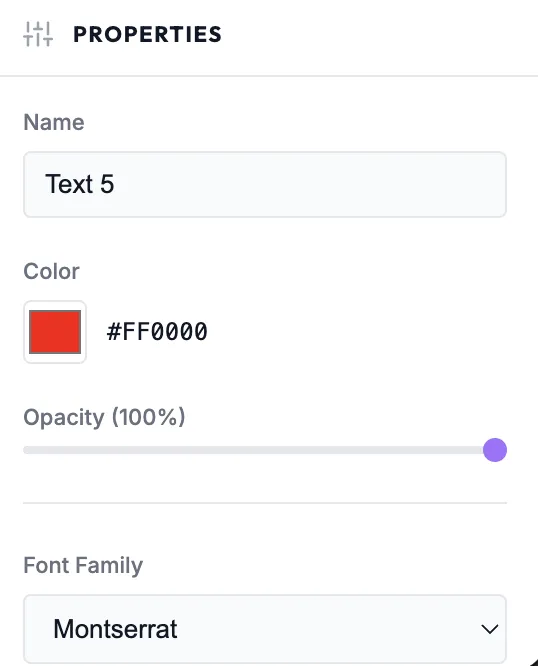
Advanced Editing Tools
Annotate your screenshots with a full suite of professional tools. Crop, draw, add text, or blur sensitive information in seconds.
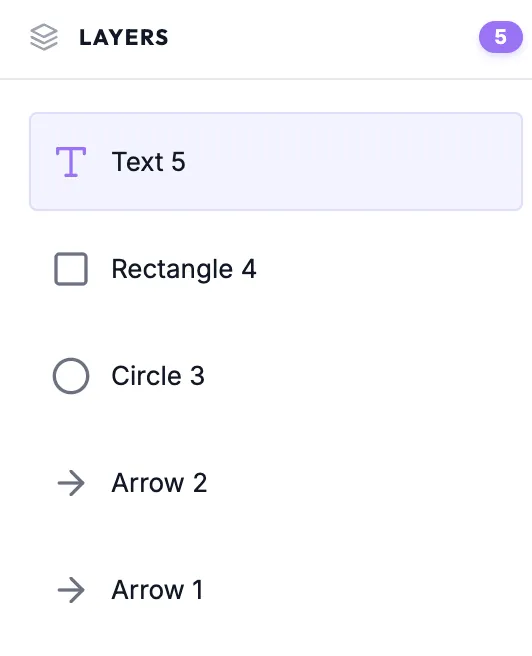
Layers & Templates
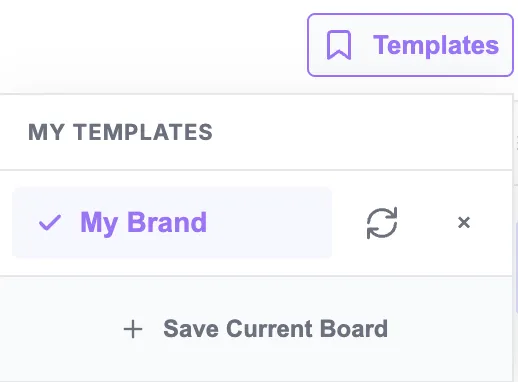
Manage your annotations like a pro with the layers panel. Save your favorite styles as templates to speed up your recurring workflow.
Frequently Asked Questions
Everything you need to know about the extension and its features.
Is Screenshot Editor Pro free?
Yes, Screenshot Editor Pro is completely free to use and open source. You can find the source code on my GitHub repository.
What capture modes are available?
I offer three primary modes: Visible Area for what's on screen, Selective Area for specific regions, and Full Page for the entire scrollable content.
Can I edit my screenshots?
Absolutely! My built-in editor includes professional tools for cropping, freehand drawing, adding arrows, text annotations, and blurring sensitive data.
Is my data private?
Yes. All capturing and editing take place locally in your browser. I never upload your screenshots to any external servers without your explicit action.
What formats can I export in?
You can save your edited screenshots as PNG or JPEG files, or simply copy them to your clipboard for quick sharing.
Why do some full page captures look weird?
Highly complex sites with persistent sticky elements or infinite scroll can occasionally cause stitching issues. I are constantly improving my capture engine.
Which browsers are supported?
Currently, I support Chrome, Microsoft Edge, and Firefox. Support for Safari and other mobile browsers is on my upcoming roadmap.
Can I save my annotation styles?
Yes, you can save your custom configurations as templates to reuse them across different editing sessions, significantly speeding up your workflow.
Built for Developers
Screenshot Editor Pro is built with the latest web technologies, focusing on performance, modularity, and developer experience.
View on GitHubWXT + Vite
Next-gen web extension framework for modern development workflow and fast builds.
React 19
Built with the latest React features for high-performance UI components and state management.
Konva.js
Powerful 2D canvas library for professional-grade annotation and image manipulation.
TypeScript
Type-safe codebase ensuring reliability and maintainability across the entire extension.
Ready to transition?
Join thousands of users who are already using Screenshot Editor Pro to improve their workflow.

Raakkan (Sankar)
AI-driven Full Stack Developer
Indie developer from Tamil Nadu building fast, privacy-first web tools. Creator of Lovable Tools — a growing collection of free utilities and AI-powered tools.