Drake Hotline Bling Meme Generator
Create the iconic Drake Hotline Bling meme with your own custom text. Everything is processed in your browser—no data is uploaded!
💡 Enter any topic and AI will generate funny reject/approve text for your meme
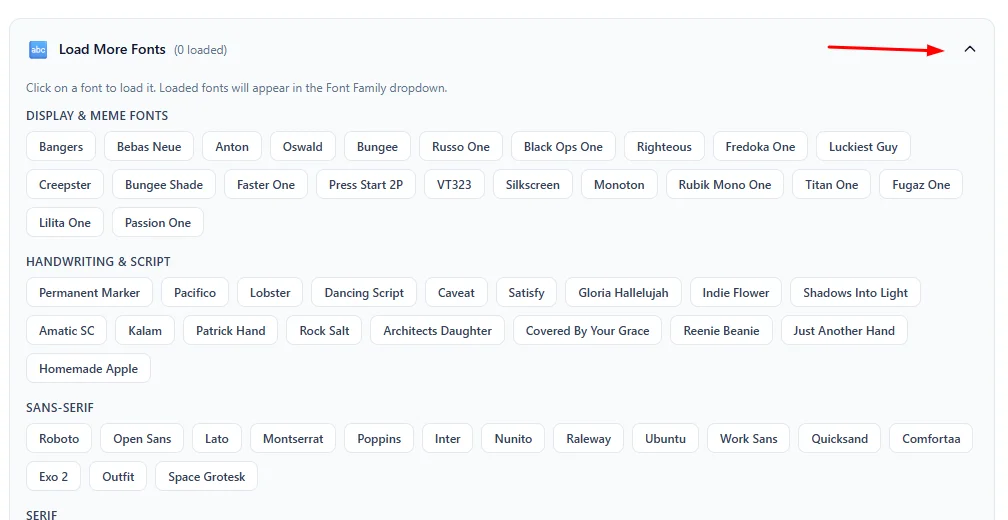
Click on a font to load it. Loaded fonts will appear in the Font Family dropdown.
⚙️ How to Use This Tool
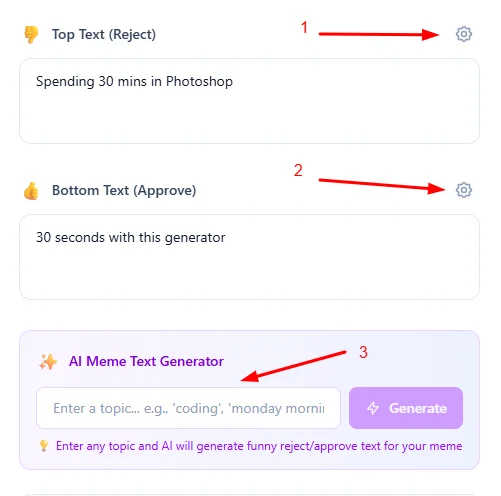
Add Meme Text or Use AI
Start by entering your custom text into the Top Text (Reject) and Bottom Text (Approve) fields. You can also use my AI Meme Text Generator to instantly create clever captions for any topic.
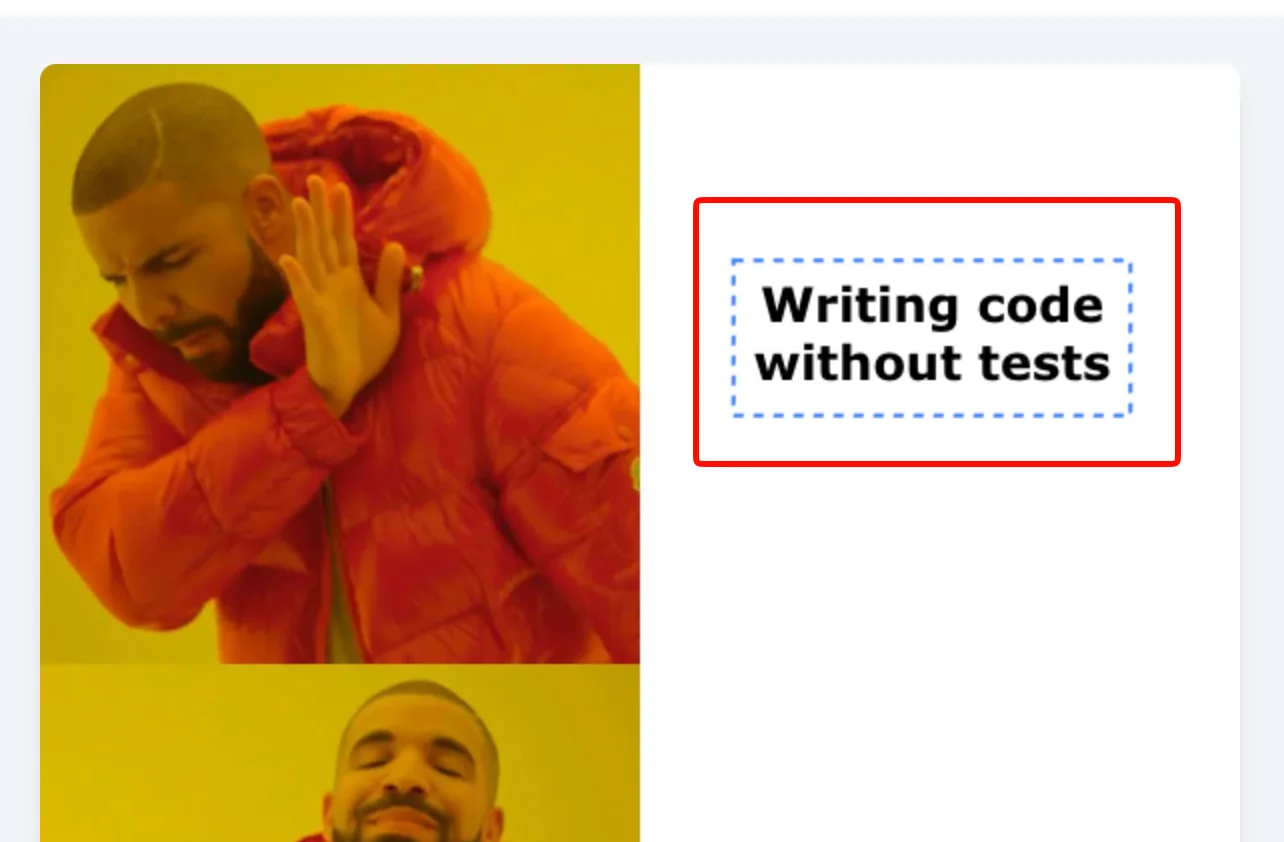
Drag and Drop Texts
Take full control of your meme's layout. Simply click or touch any text element directly on the canvas and drag it to your preferred position for the perfect composition.
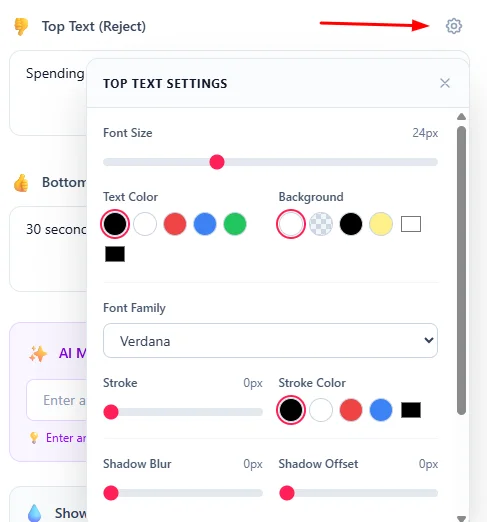
Customize Text Style
Personalize your meme with a wide range of styling options. Adjust font sizes, colors, backgrounds, and add advanced effects like text stroke and drop shadows for better readability.
Load Premium Fonts
Choose from a curated library of Google Fonts perfect for memes. From classic bold typography to clean modern styles, loading premium fonts is just one click away.
Remove Watermark
Maintain a clean, professional look by toggling the Show Watermark switch. This removes all branding from your final meme before you save it.

Download Your Meme
Once your meme is perfect, click Download Meme to save your high-quality image. It's ready to be shared across social media and messaging apps!
📖 About Drake Hotline Bling Meme Generator
What is the Drake Hotline Bling Meme?
The Drake Hotline Bling meme is one of the most iconic and versatile meme formats on the internet. Originating from Drake's 2015 music video "Hotline Bling," this two-panel meme shows Drake in two contrasting poses:
- Top panel: Drake looking away with his hand up, representing rejection or disapproval
- Bottom panel: Drake pointing with a satisfied expression, representing approval or preference
This format is perfect for comparing two things, showing preferences, or making humorous observations about choices people make.
Common Use Cases
- Comparison memes: Show what you reject vs. what you prefer
- Technology humor: Old tech vs. new tech comparisons
- Pop culture: Trending topics and viral jokes
- Work/life humor: Relatable office and everyday situations
- Social media: Quick shareable content for Twitter, Instagram, and Reddit
- Group chats: Inside jokes with friends
Key Features
AI Meme Text Generator
Instantly create hilarious captions for your memes with our AI-powered generator. Enter a topic, and let the AI provide you with clever reject and approve text combinations tailored to your subject.
Draggable Text & Live Preview
Position your text exactly where you want it. Simply click or touch any text element on the canvas and drag it to your preferred location. The live preview updates instantly as you type and move elements.
Advanced Text Styling
Customize every aspect of your meme text with our comprehensive styling options:
- Font Size & Family: Choose from system fonts or load popular Google Fonts like Impact, Bebas Neue, Bangers, and more
- Text Capitalization: Instantly toggle your captions between Normal, ALL CAPS, and Title Case for the perfect viral look
- Text & Background Colors: Pick from preset colors or use the custom color picker
- Text Stroke: Add bold outlines with adjustable width and color for that classic meme look
- Drop Shadow: Apply shadow effects with customizable blur, offset, and color
- Letter Spacing & Line Height: Fine-tune text spacing for perfect readability
Contextual Settings Dropdowns
Advanced styling options are neatly tucked into dropdown menus next to each text input, keeping the interface clean while giving you full control.
Google Fonts Integration
Load additional fonts on-demand from Google Fonts. Simply click on a font name to load it, and it'll appear in the font family dropdown for both top and bottom text.
Instant Download
Download your finished meme as a high-quality PNG image, ready to share anywhere.
Client-Side Processing
All meme generation happens in your browser. Your text and images are never uploaded to any server, ensuring complete privacy.
Privacy & Security
Your meme text is processed entirely in your browser using HTML5 Canvas technology. Nothing is uploaded to our servers. Create your memes with confidence knowing your content stays private.
❓ Frequently Asked Questions
Version History
Added draggable text support and improved layout with a new 6-step guide.
Feb 18, 2026
Added AI Meme Text Generator for instant caption ideas and new text capitalization controls (Normal, ALL CAPS, Title Case) for better formatting.
Feb 01, 2026
Added contextual settings dropdowns, Google Fonts integration, advanced text styling (stroke, shadow, spacing), watermark with toggle option, and improved multi-line text rendering.
Jan 29, 2026
Initial release
Jan 28, 2026

Raakkan (Sankar)
AI-driven Full Stack Developer
Indie developer from Tamil Nadu building fast, privacy-first web tools. Creator of Lovable Tools — a growing collection of free utilities and AI-powered tools.