Excel to PDF Converter
Convert Excel spreadsheets (XLSX, XLS) to PDF format instantly. Preserve tables, charts, and formatting perfectly.
💡 How to Use This Tool
Converting your Excel spreadsheets to fixed-layout PDFs takes just a few clicks. Follow these steps:
Upload Your Spreadsheet
Click the dropzone area or drag an Excel file (.xls, .xlsx) up to 100 MB to begin.
Automatic Conversion
Once uploaded, the task immediately begins processing on my private servers. No extra buttons needed.
Track Completion Timeline
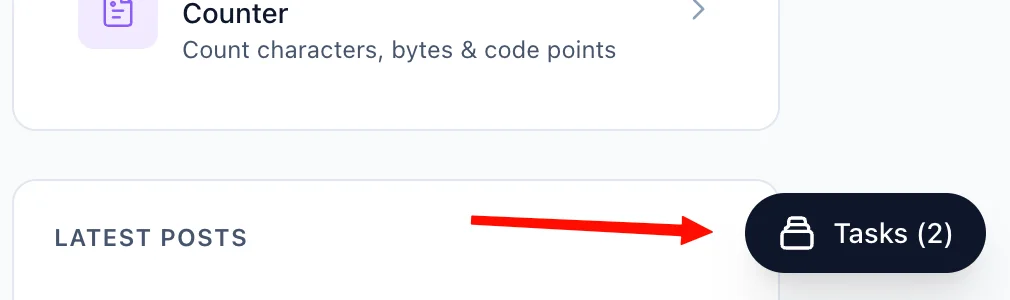
The Recent Tasks panel shown below tracks processing status. I also provide a floating Tasks drawer globally — check conversion progress from any page on my site.
Download the PDF Response
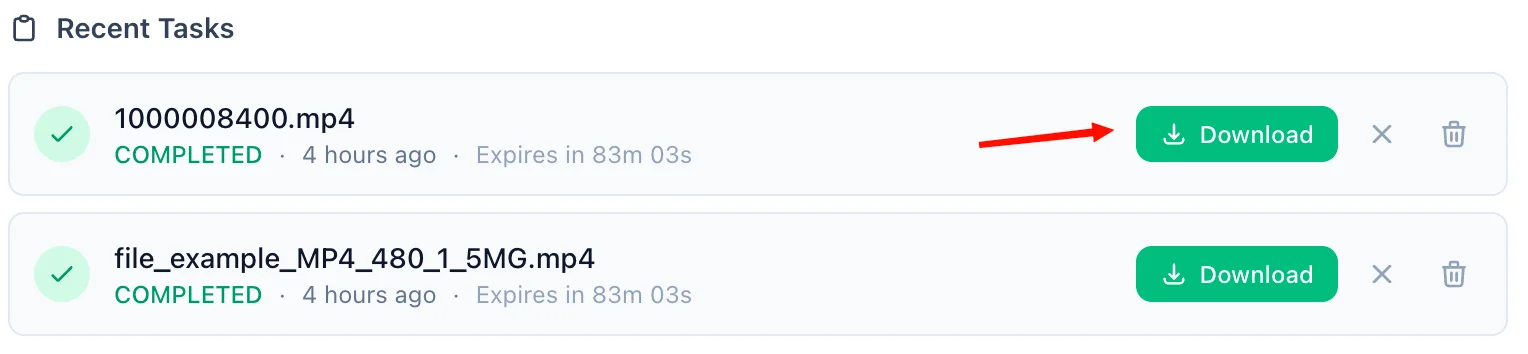
A green Download button quickly activates upon completion. For privacy, download links are time-limited and only persist for 90 minutes natively.
Refreshing Expired Tasks
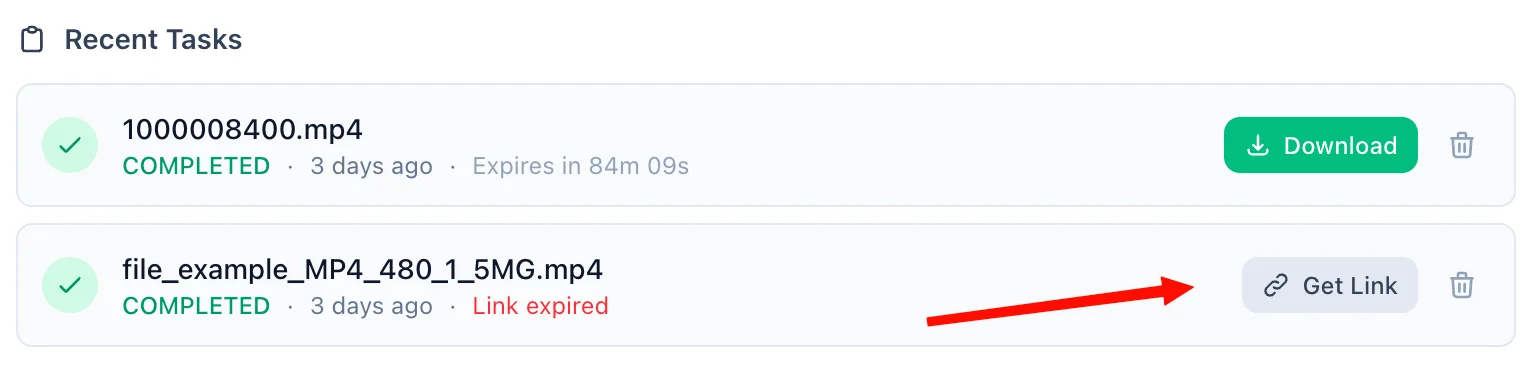
If your download token expires, simply click the amber Refresh Link mechanism. I'll mint a new active timeframe—no re-upload necessary.
Manual Cleanup
Click the trash icon alongside any task to securely purge the processed files permanently from my cloud bucket servers immediately.
📖 About Excel to PDF Converter
What is an Excel to PDF Converter?
An Excel to PDF Converter is a secure, cloud-based tool designed to transform Microsoft Excel spreadsheets (.xlsx and .xls formats) into universal PDF files. Powered by LibreOffice, this tool effortlessly ensures your wide tables, embedded charts, fonts, and cell formatting remain exactly as you designed them, freezing your dynamic data into a universally accessible format.
Common Use Cases
- Client Reporting: Distribute financial models, invoices, and performance reports without worrying clients will accidentally alter the data.
- Printing Optimization: PDF formats "lock-in" pagination, preventing awkward page splits that frequently happen when printing directly from Excel.
- Documentation Archiving: Securely save historical data, ledgers, or timesheets in a stable, uneditable format compliant with many business record keeping standards.
- Cross-Platform Sharing: Ensure your data will be easily viewable on mobile devices, tablets, and any computer without requiring recipients to have spreadsheet software installed.
Key Features
Perfect Layout Preservation
Spreadsheets are notoriously difficult to format correctly for printing or sharing. Our conversion engine (LibreOffice Headless) accurately retains column widths, row heights, cell colors, borders, and complex chart structures.
Supports Legacy & Modern Formats
Whether your data is stored in a newer .xlsx file or a legacy .xls format, our converter seamlessly supports both.
Zero Software Installation required
Convert documents quickly directly within your web browser on Mac, Windows, Linux, iOS, or Android, completely eliminating the need for paid software subscriptions.
Large File Capability
We comfortably support uploading Excel files up to 100 MB, easily managing substantial datasets with extensive tabs and graphics.
Privacy & Security Commitment
Your data privacy is our highest priority. All files are processed within a secure environment:
- End-to-end transmissions are secured via encrypted HTTPS connections.
- Processed PDFs are hosted in highly secured cloud buckets, accessible strictly through unique, time-limited cryptographic download links.
- For guest users, both original and converted files are permanently deleted after 90 minutes.
- Registered users benefit from up to 60 days of file retention, with the permanent option to manually delete files instantly on demand.
- We enforce strict zero-visibility policies—your spreadsheet data is never analyzed, mined, or sold.
Technical Details
Conversion relies on the robust LibreOffice Headless engine executing the --convert-to pdf:calc_pdf_Export instruction. This method actively calculates formula results prior to rendering and ensures maximum layout fidelity across both OOXML (.xlsx) and older spreadsheet formats. The system intelligently scales worksheets to fit standard page dimensions, producing highly reliable, PDF/1.4-compliant output natively readable on any standard PDF viewer.
❓ Frequently Asked Questions
Version History
Initial release of Excel to PDF Converter.
Mar 26, 2026

Raakkan (Sankar)
AI-driven Full Stack Developer
Indie developer from Tamil Nadu building fast, privacy-first web tools. Creator of Lovable Tools — a growing collection of free utilities and AI-powered tools.