MOBI to PDF Converter
Convert MOBI e-books to PDF documents instantly.
💡 How to Use This Tool
Converting your MOBI files to PDF documents takes just a few clicks. Follow these steps:
Upload Your MOBI
Click the dropzone area or drag a MOBI file up to 500 MB to begin.
Automatic Conversion
Once uploaded, the task immediately begins processing on my private servers. No extra buttons needed.
Track Completion Timeline
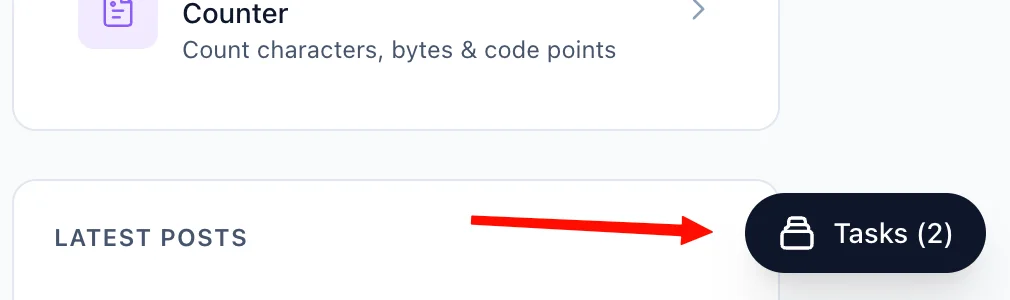
The Recent Tasks panel shown below tracks processing status. I also provide a floating Tasks drawer globally — check conversion progress from any page on my site.
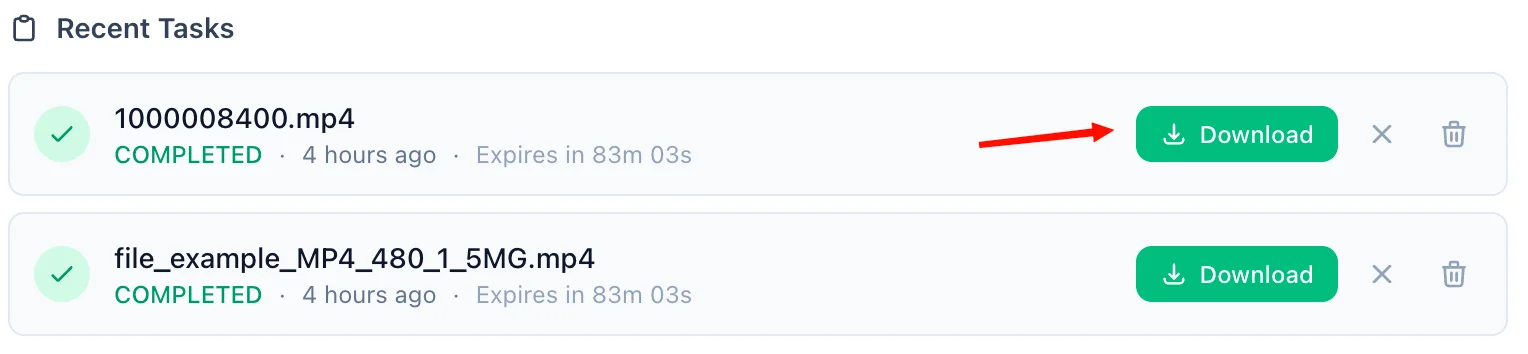
Download the PDF
A green Download button quickly activates upon completion. For privacy, download links are time-limited and only persist for 90 minutes natively.
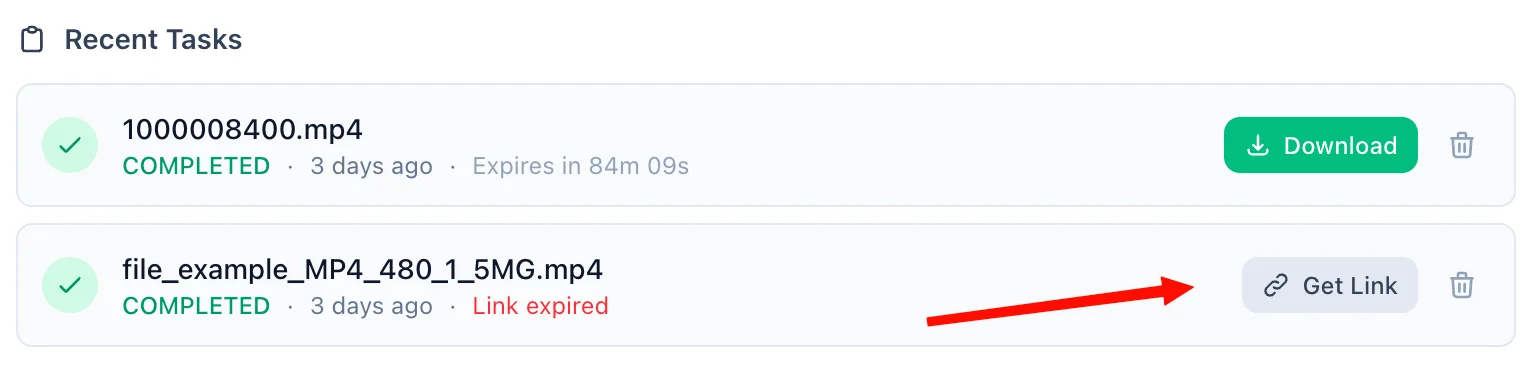
Refreshing Expired Tasks
If your download token expires, simply click the amber Refresh Link mechanism. I'll mint a new active timeframe—no re-upload necessary.
Manual Cleanup
Click the trash icon alongside any task to securely purge the processed files permanently from my cloud bucket servers immediately.
📖 About MOBI to PDF Converter
What is the MOBI to PDF Converter?
The MOBI to PDF Converter is a robust, privacy-focused online utility that effortlessly transforms .mobi (Mobipocket) eBook files into highly portable .pdf documents. Because the MOBI format is largely deprecated and famously restricted to older Kindle devices, converting to PDF liberates your eBooks, allowing you to access and share your library across any modern operating system or device without proprietary software.
Common Use Cases
- Device Liberation: If you recently upgraded away from a Kindle or need to read a MOBI file on an iPad, Android tablet, or corporate laptop that restricts software installations, converting it to a PDF instantly solves your compatibility issues.
- Academic Study & Printing: Because MOBI is reflowable, page numbers change depending on the screen size. Translating the book to PDF locks the layout in place, which is perfect for printing assignments or ensuring consistent citations when collaborating.
- Annotation Workflows: Import your newly minted PDF into powerful stylus-driven note-taking applications where you can highlight, draw, and markup the text freely without being locked into the Amazon Kindle ecosystem.
- Archival Preservation: Since Amazon shifted away from the MOBI format in favor of AZW3 and KPF, converting your older purchases and downloads into the universal ISO-standardized PDF format ensures they remain readable for decades to come.
Key Features
High-Fidelity Conversion
Our converter intelligently unpacks the MOBI structure to carefully retrieve text nodes, layout directives, and cover art, arranging them seamlessly into a high-quality PDF document.
Lightning Fast Cloud Processing
By offloading the heavy lifting to our specialized cloud servers, you avoid the hassle of downloading and configuring bulky desktop software like Calibre yourself.
Privacy & Security
We prioritize your digital privacy above all else. Your MOBI files are processed via a securely encrypted pipeline. Uploaded files exist only temporarily in a volatile sandbox while being converted, and both the original file and the final PDF are permanently destroyed automatically after a 90-minute window. Need it gone faster? Simply hit the delete icon immediately after downloading.
Technical Details
This conversion engine passes your file to a secure, isolated microservice operating on industry-standard eBook parsing algorithms. It accurately handles the legacy Mobipocket markup, recreating the book's structural hierarchy so you end up with a clean, vector-based, selectable text PDF rather than a flattened visual scan.
❓ Frequently Asked Questions
Version History
Initial release of the MOBI to PDF file converter tool
Apr 05, 2026

Raakkan (Sankar)
AI-driven Full Stack Developer
Indie developer from Tamil Nadu building fast, privacy-first web tools. Creator of Lovable Tools — a growing collection of free utilities and AI-powered tools.