MP4 to MP3 Converter
Extract audio from your MP4 videos with this high-quality MP4 to MP3 converter. Fast, secure, and easy to use.
💡 How to Use This Tool
Extracting audio from an MP4 file takes just a few clicks. Follow these simple steps:
Upload Your MP4
Click the upload area or drag and drop an MP4 file (up to 1 GB).
Conversion Starts Automatically
Your file is uploaded and a task is queued on my server instantly — no button to press.
Monitor Progress
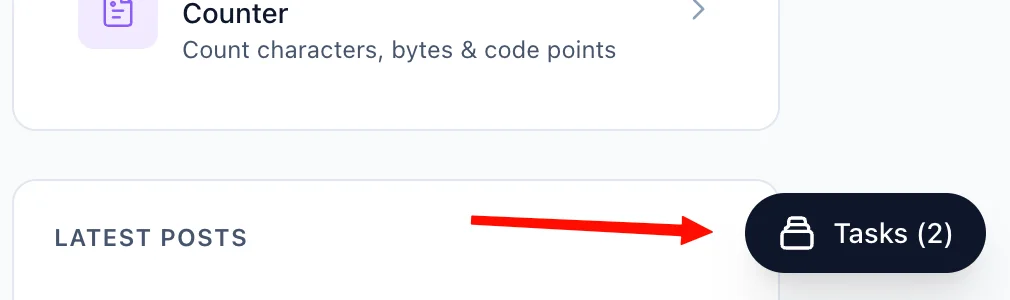
The Recent Tasks list below the upload area tracks your conversion in real time (queued → processing → completed). You can also navigate away — a floating Tasks button in the bottom-right corner of every page lets you check status and download your file from anywhere on the site.
Download Your MP3
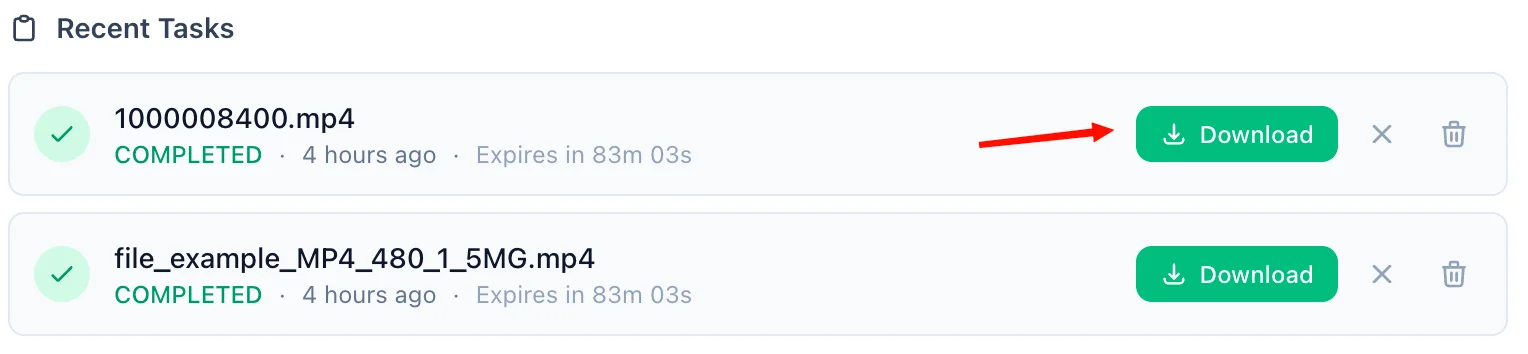
Once complete, a green Download button appears on the task row. Click it to save the MP3 to your device. A live countdown shows how long the link remains valid — download links expire after 90 minutes.
Refresh an Expired Link
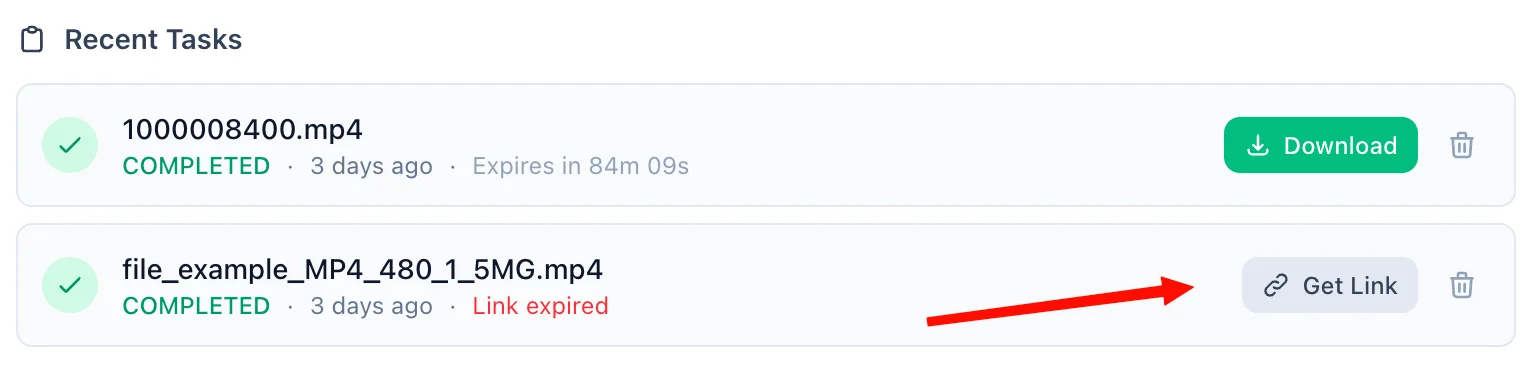
If 90 minutes have passed, the Download button is replaced by an amber Refresh Link button. Click it to generate a fresh 90-minute link on demand — no need to re-upload or re-convert.
Delete When Done
Each task has a trash icon. Clicking it immediately removes the task and permanently deletes the output file from my servers — giving you full control over your data at any time.
📖 About MP4 to MP3 Converter
What is MP4 to MP3 Converter?
This tool allows you to extract the audio track from any MP4 video file and save it as an MP3 audio file. It's perfect for saving songs from music videos, extracting lectures, or creating podcasts from video content.
Common Use Cases
- Music Extraction: Save songs from music videos for offline listening.
- Podcasts & Interviews: Convert recorded video interviews into audio-only formats.
- Storage Saving: Audio files are significantly smaller than video files, freeing up your device's storage.
Key Features
High Quality Audio Extraction
Extracts audio without loss of quality from the original MP4 video.
Why use our MP4 to MP3 Converter
Our tool is designed to be the fastest and most reliable MP4 to MP3 converter available online. Whether you are a professional video editor looking to isolate an audio track, a student who recorded a lecture on video and wants to listen to it on the go, or just someone who wants to save a song from a music video, this tool is built for you. We support high-quality MP3 encoding for pristine audio quality. Furthermore, you do not need to install any additional software or browser extensions. This tool is completely web-based, ensuring compatibility across all devices including Windows, Mac, iOS, and Android.
Privacy & Security
Your privacy is our priority. All uploaded files are transmitted securely to our processing server and your converted MP3 is stored in an encrypted cloud bucket — accessible only to you via a time-limited download link.
You are always in control. You can delete your task and its output file at any time directly from the task list. Files are also automatically cleaned up on the following schedule:
-
Guests (not signed in): Your file and task record are automatically deleted 90 minutes after the conversion is submitted.
-
Signed-in users: Your file and task record are automatically deleted after 60 days, giving you plenty of time to generate and re-generate download links as needed.
We never share your files with third parties or use them for any purpose other than performing the requested conversion.
Technical Details
- The converter extracts the audio stream from the MP4 container and encodes it into the standard MP3 format ensuring maximum compatibility across all devices and players.
❓ Frequently Asked Questions
Version History
Initial release
Mar 17, 2026

Raakkan (Sankar)
AI-driven Full Stack Developer
Indie developer from Tamil Nadu building fast, privacy-first web tools. Creator of Lovable Tools — a growing collection of free utilities and AI-powered tools.