PDF to JPG Converter
Convert PDF pages to high-quality JPG images instantly for sharing, design, publishing, and presentations.
💡 How to Use This Tool
Converting your PDF pages to high-quality JPG images takes just a few clicks. Follow these steps:
Upload Your PDF
Click the dropzone area or drag a PDF file up to 100 MB to begin.
Automatic Conversion
Once uploaded, the task immediately begins processing on my private servers. No extra buttons needed.
Track Completion Timeline
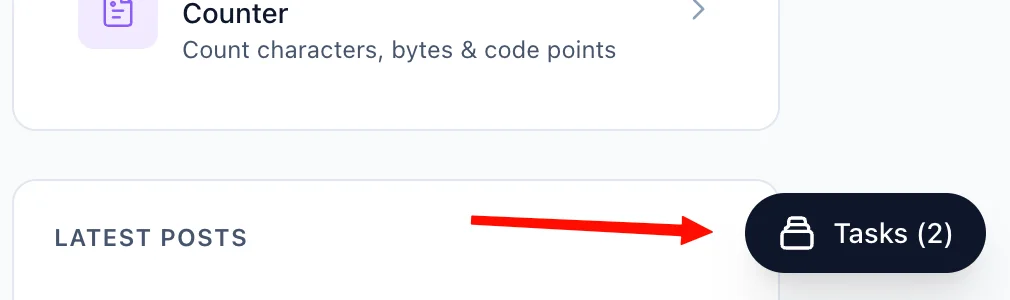
The Recent Tasks panel shown below tracks processing status. I also provide a floating Tasks drawer globally — check conversion progress from any page on my site.
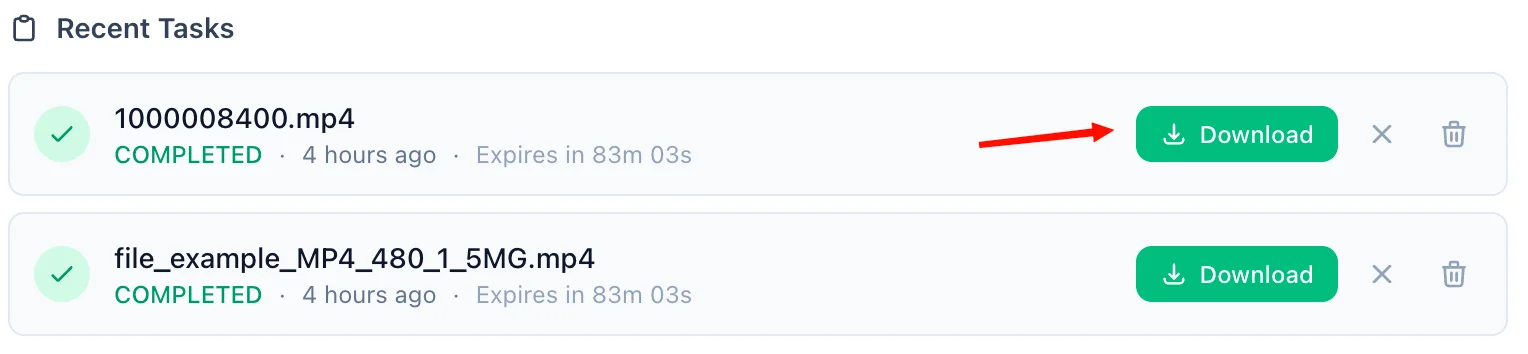
Download the ZIP Archive
A green Download button quickly activates upon completion, providing a ZIP file containing all converted JPG images. For privacy, download links are time-limited and only persist for 90 minutes natively.
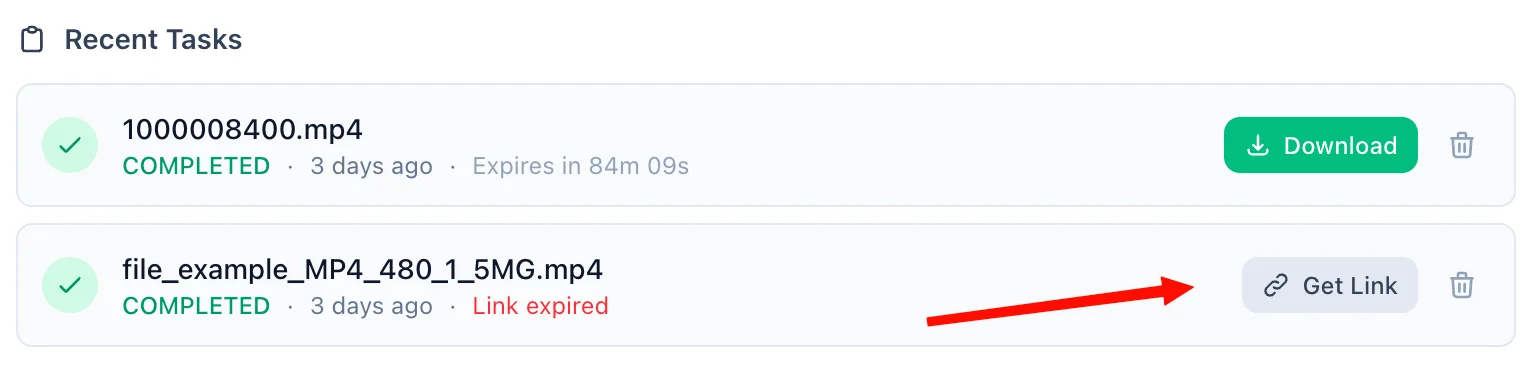
Refreshing Expired Tasks
If your download token expires, simply click the amber Refresh Link mechanism. I'll mint a new active timeframe—no re-upload necessary.
Manual Cleanup
Click the trash icon alongside any task to securely purge the processed files permanently from my cloud bucket servers immediately.
📖 About PDF to JPG Converter
What is a PDF to JPG Converter?
A PDF to JPG Converter is an online tool that transforms PDF pages into JPG image files. It is useful when you want to share a page as an image, post it on social media, upload it into design tools, or extract page visuals from a document without requiring a PDF reader. For multi-page documents, all pages are bundled into a convenient, single download.
Common Use Cases
- Sharing individual pages: Turn one or more PDF pages into image files that are easy to send in chats, slides, or documents.
- Design workflows: Import PDF pages into image editors, whiteboards, or layout tools that work better with JPG files.
- Website publishing: Use image versions of PDF pages in blogs, landing pages, or online portfolios.
- Presentation assets: Bring charts, forms, or brochure pages into PowerPoint, Google Slides, or Canva as images.
- Archiving visuals: Save a visual snapshot of document pages for quick reference without opening the full PDF.
Key Features
ZIP Archive for Multi-Page Outputs
When you convert a multi-page PDF, we bundle every converted page into a single, high-quality ZIP archive, allowing you to download all images at once without multiple clicks.
JPG Output for Easy Sharing
The converter produces JPG images that are widely supported across devices, websites, apps, and presentation software.
Best for Visual Pages
PDF pages with diagrams, layouts, posters, forms, and mixed visual content are especially useful as JPG outputs. Text-heavy pages can also be converted when an image version is more convenient than a document file.
No Software Required
You do not need Adobe Acrobat or any desktop image editor installed. Upload the PDF in your browser and download the converted JPG output when it is ready.
Large File Support
We support PDF files up to 100 MB, making the tool suitable for brochures, reports, handouts, and multi-page documents.
Privacy & Security
Your documents are processed securely:
- Files are transmitted over an encrypted HTTPS connection.
- Converted files are stored in a secured cloud bucket and are only accessible via a time-limited download link generated specifically for you.
- Guest files are automatically deleted 90 minutes after conversion.
- Signed-in users can access their files for up to 60 days, and can manually delete them at any time.
- We never sell, share, or inspect your document contents beyond what is necessary to perform the conversion.
Technical Details
The output is delivered as high-quality JPG image data, bundled within a ZIP archive for multi-page conversions. Because image conversion rasterizes the original document, the resulting images are ideal for viewing and sharing but are not meant for editing as structured document content. Each page of your PDF is rendered individually, ensuring you have a distinct image for every original page.
❓ Frequently Asked Questions
Version History
Initial release of PDF to JPG Converter.
Mar 31, 2026

Raakkan (Sankar)
AI-driven Full Stack Developer
Indie developer from Tamil Nadu building fast, privacy-first web tools. Creator of Lovable Tools — a growing collection of free utilities and AI-powered tools.