PDF to PowerPoint Converter
Convert PDF files to editable PowerPoint presentations instantly so you can update slides, layouts, and content again.
💡 How to Use This Tool
Converting your PDF files to editable PowerPoint presentations takes just a few clicks. Follow these steps:
Upload Your PDF
Click the dropzone area or drag a PDF file up to 100 MB to begin.
Automatic Conversion
Once uploaded, the task immediately begins processing on my private servers. No extra buttons needed.
Track Completion Timeline
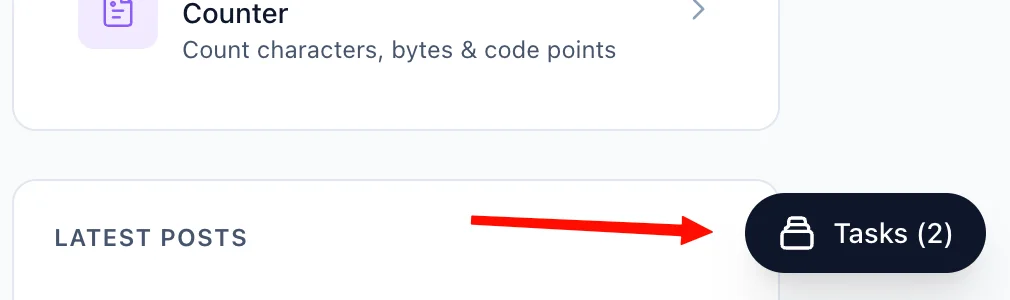
The Recent Tasks panel shown below tracks processing status. I also provide a floating Tasks drawer globally — check conversion progress from any page on my site.
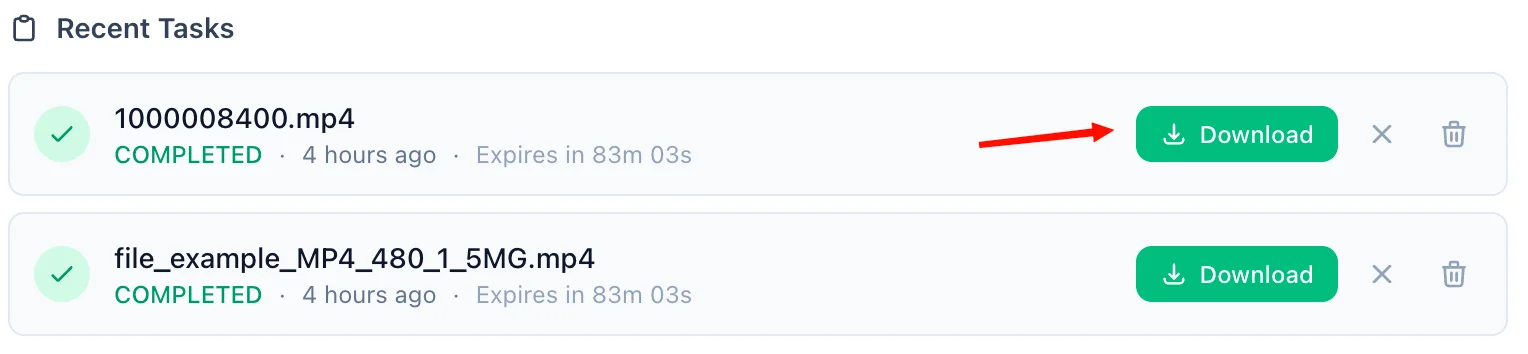
Download the PowerPoint Response
A green Download button quickly activates upon completion. For privacy, download links are time-limited and only persist for 90 minutes natively.
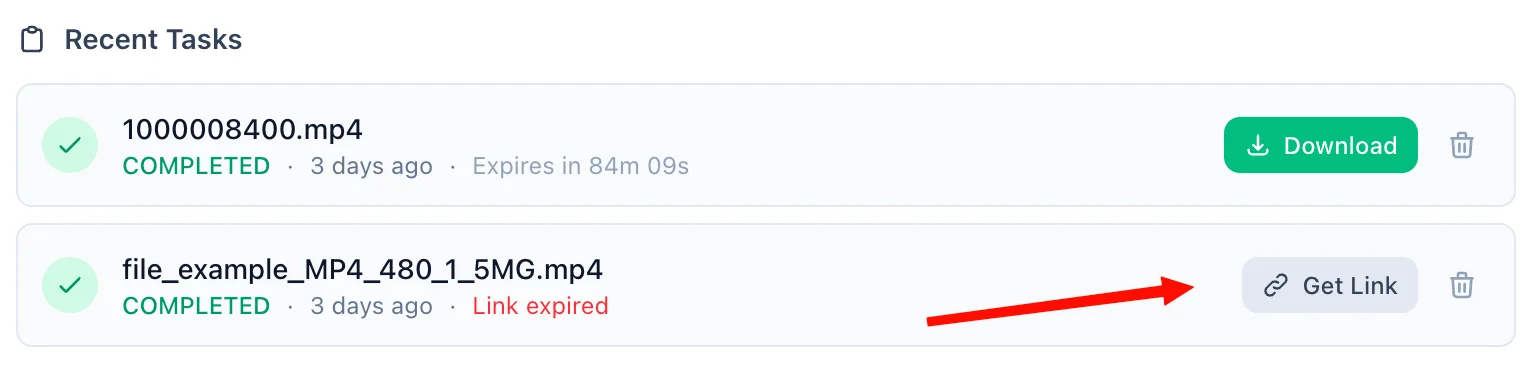
Refreshing Expired Tasks
If your download token expires, simply click the amber Refresh Link mechanism. I'll mint a new active timeframe—no re-upload necessary.
Manual Cleanup
Click the trash icon alongside any task to securely purge the processed files permanently from my cloud bucket servers immediately.
📖 About PDF to PowerPoint Converter
What is a PDF to PowerPoint Converter?
A PDF to PowerPoint Converter is an online tool that transforms PDF documents into editable PowerPoint presentations, typically in the .pptx format. It is useful when you want to take content that was locked inside a PDF and bring it back into a slide-based format for editing, presenting, or redesigning.
Common Use Cases
- Updating old decks: Start from a PDF version of a sales deck, report, or workshop slides and turn it back into an editable presentation.
- Rebranding presentations: Convert a static PDF into PowerPoint so you can swap colors, logos, fonts, and themes.
- Team collaboration: Share an editable PPTX version with coworkers for comments, speaker notes, and revisions.
- Training and education: Reuse PDF handouts or lecture materials as slides for future sessions.
- Client presentations: Recover slides from exported PDFs when the original presentation file is missing.
Key Features
Editable PPTX Output
The converter generates a PowerPoint-compatible .pptx file that opens in Microsoft PowerPoint, Google Slides, and LibreOffice Impress.
Best for Slide-Like PDFs
PDFs that already resemble presentation slides generally convert best. Scanned documents, dense reports, and highly designed layouts may still require cleanup after conversion.
No Software Required
You do not need Microsoft PowerPoint or Adobe Acrobat installed. Upload the PDF in your browser and download the converted presentation when it is ready.
Large File Support
We support PDF files up to 100 MB, making the tool suitable for larger proposals, pitch decks, and training materials.
Privacy & Security
Your documents are processed securely:
- Files are transmitted over an encrypted HTTPS connection.
- Converted files are stored in a secured cloud bucket and are only accessible via a time-limited download link generated specifically for you.
- Guest files are automatically deleted 90 minutes after conversion.
- Signed-in users can access their files for up to 60 days, and can manually delete them at any time.
- We never sell, share, or inspect your document contents beyond what is necessary to perform the conversion.
Technical Details
The output is delivered as a .pptx presentation intended for further editing. Because PDF stores content as a fixed visual layout, exact reconstruction depends on how slide-like the original document is. Presentation-style PDFs usually convert best, while scanned pages, layered graphics, and unusual typography may need adjustment once opened in PowerPoint.
❓ Frequently Asked Questions
Version History
Initial release of PDF to PowerPoint Converter.
Mar 31, 2026

Raakkan (Sankar)
AI-driven Full Stack Developer
Indie developer from Tamil Nadu building fast, privacy-first web tools. Creator of Lovable Tools — a growing collection of free utilities and AI-powered tools.