PDF to Text Converter
Extract raw text from PDF files natively and securely without losing data.
💡 How to Use This Tool
Extracting text from a PDF document takes just a few clicks. Follow these simple steps:
Upload Your PDF
Click the upload area or drag and drop a PDF file (up to 100 MB).
Extraction Starts Automatically
Your file is uploaded and a task is queued on my server instantly — no button to press.
Monitor Progress
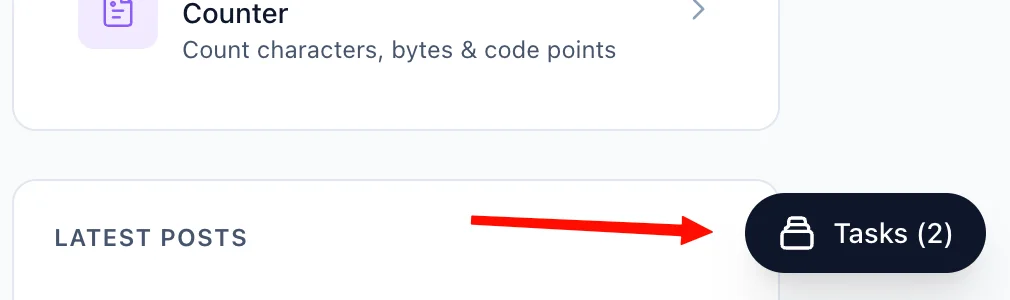
The Recent Tasks list below the upload area tracks your conversion in real time (queued → processing → completed). You can also navigate away — a floating Tasks button in the bottom-right corner of every page lets you check status and download your text file from anywhere on the site.
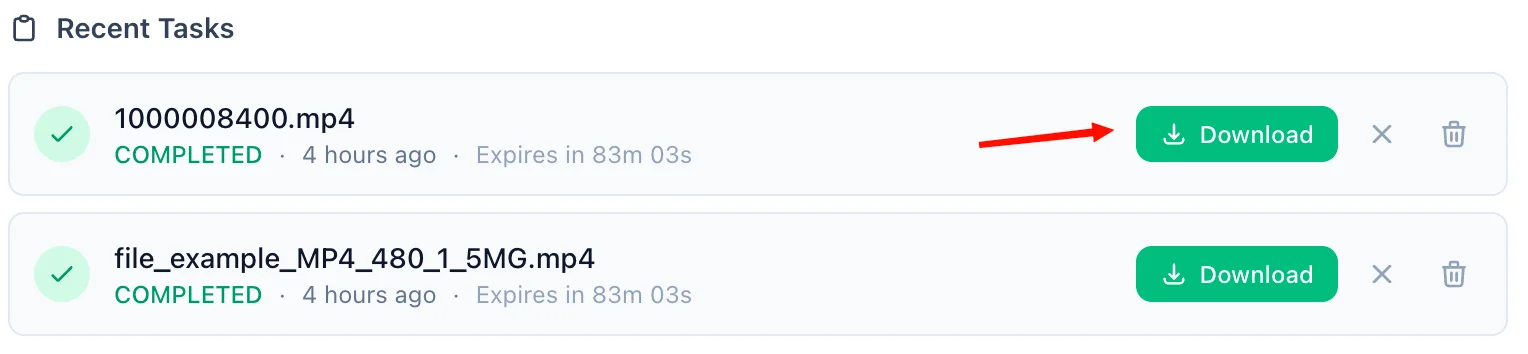
Download Your Text File
Once complete, a green Download button appears on the task row. Click it to save the TXT file to your device. A live countdown shows how long the link remains valid — download links expire after 90 minutes.
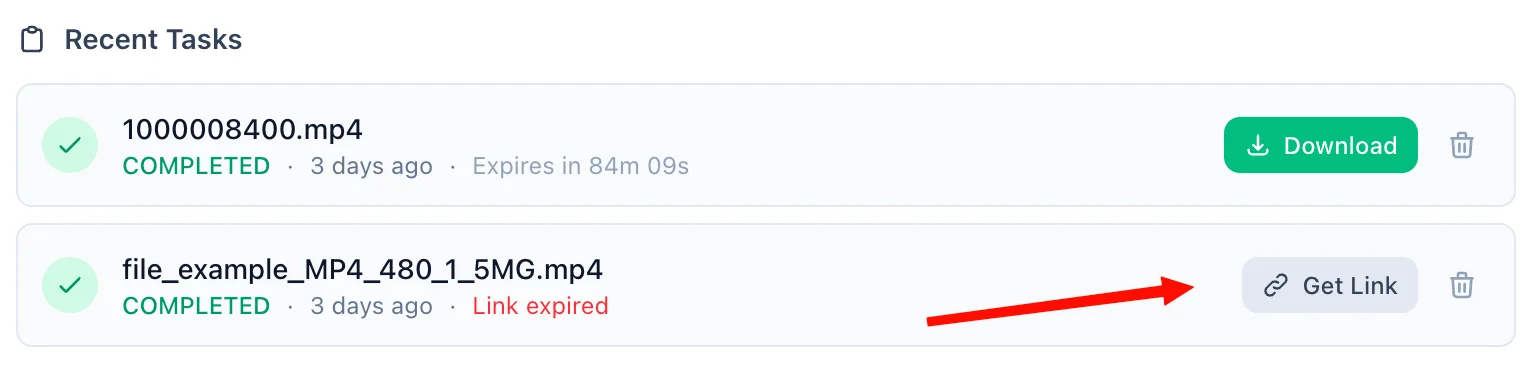
Refresh an Expired Link
If 90 minutes have passed, the Download button is replaced by an amber Refresh Link button. Click it to generate a fresh 90-minute link on demand — no need to re-upload or re-convert.
Delete When Done
Each task has a trash icon. Clicking it immediately removes the task and permanently deletes the output file from my servers — giving you full control over your data at any time.
📖 About PDF to Text Converter
What is the PDF to Text Converter?
The PDF to Text Converter is a fast and reliable tool to extract raw text from PDF documents. Whether you have a long report, a research paper, or a simple document, this tool makes it incredibly easy to grab the plain text without the formatting overhead.
Use Cases
- Data Extraction: Quickly pull text data from PDF reports to analyze or input into other systems.
- Content Repurposing: Easily copy text from an old PDF guide to rewrite or integrate into a new blog post or document.
- Accessibility: Convert purely visual PDFs into text that can be easily parsed by screen readers.
Key Features
Fast Processing
We use a dedicated backend service using PyMuPDF to extract text from your PDFs efficiently.
Cloud Processing with Privacy
Your files are securely transmitted to our file processing server. Files and tasks are automatically deleted after 90 minutes. We ensure that your input files and extracted text are handled securely.
Global Task Management
Our unique Global Task Widget lets you queue multiple conversions and monitor them while navigating the rest of the site.
❓ Frequently Asked Questions
Version History
Initial release of the PDF to Text converter tool.
Mar 24, 2026

Raakkan (Sankar)
AI-driven Full Stack Developer
Indie developer from Tamil Nadu building fast, privacy-first web tools. Creator of Lovable Tools — a growing collection of free utilities and AI-powered tools.