PowerPoint to Text Extractor
Instantly extract all text from PowerPoint presentations (PPTX, PPT) slide by slide. Perfect for content repurposing, indexing, and accessibility.
💡 How to Use This Tool
Extracting all text from your PowerPoint presentations takes just a few clicks. Follow these steps:
Upload Your Presentation
Click the dropzone area or drag a PowerPoint file (.ppt, .pptx) up to 100 MB to begin.
Automatic Extraction
Once uploaded, the task immediately begins pulling text on my private servers. No extra buttons needed.
Track Completion Timeline
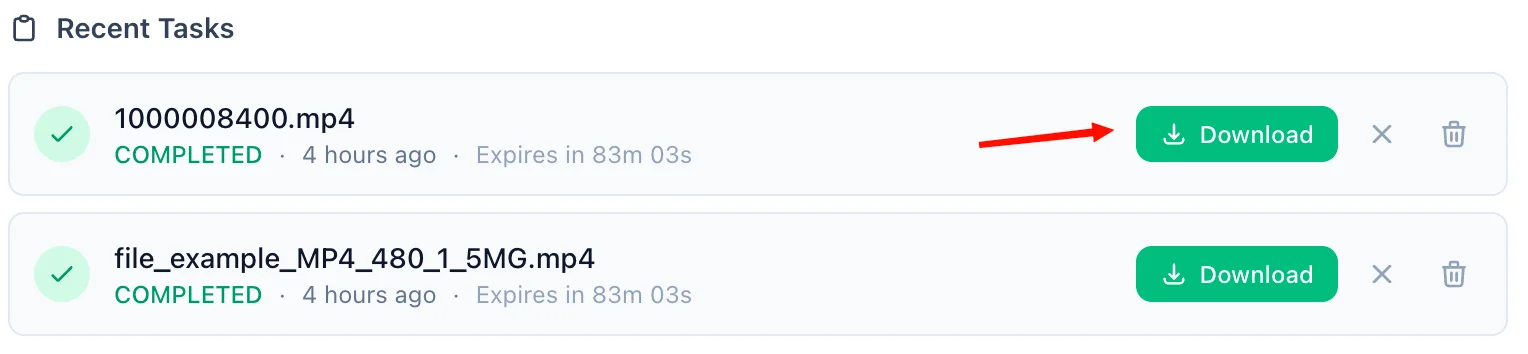
The Recent Tasks panel shown below tracks processing status. I also provide a floating Tasks drawer globally — check extraction progress from any page on my site.

Download the TXT Document
A green Download button quickly activates upon completion. For privacy, download links are time-limited and only persist for 90 minutes natively.
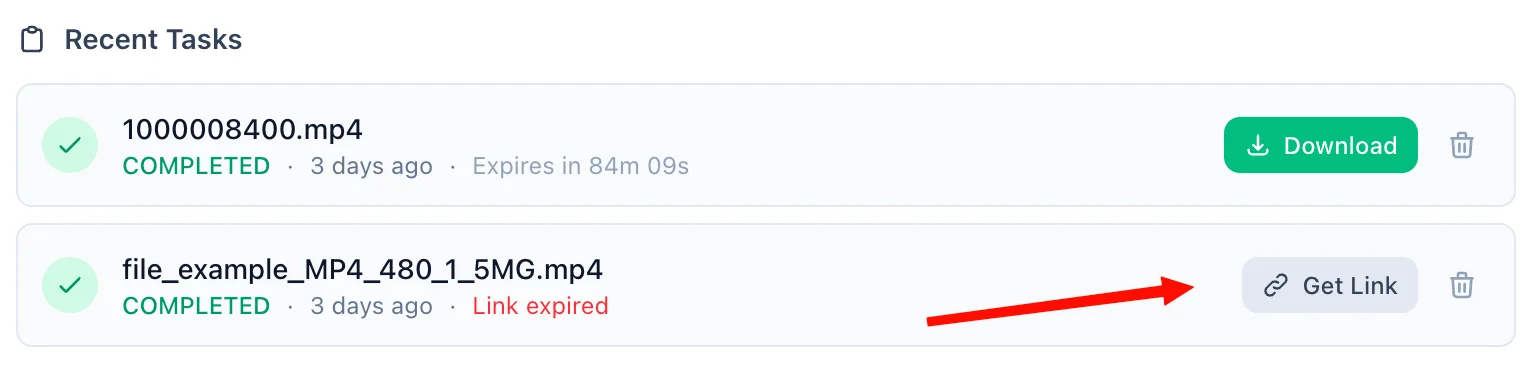
Refreshing Expired Tasks
If your download token expires, simply click the amber Refresh Link mechanism. I'll mint a new active timeframe—no re-upload necessary.
Manual Cleanup
Click the trash icon alongside any task to securely purge the processed files permanently from my cloud bucket servers immediately.
📖 About PowerPoint to Text Extractor
What is a PowerPoint to Text Extractor?
A PowerPoint to Text Extractor is a cloud-based tool that pulls all readable text content out of Microsoft PowerPoint presentations (.pptx and .ppt formats) and delivers it as a clean, portable .txt file. Instead of manually copying text from every slide, this tool automatically traverses every shape and text box on every slide, exporting the raw content slide by slide — ready for indexing, processing, or repurposing.
Common Use Cases
- Content Repurposing: Convert slide decks into blog posts, article drafts, or social copy by extracting the raw speaker notes and bullet points.
- Search Indexing: Feed extracted slide text into search engines, LLMs, or vector databases to make your presentation library fully searchable.
- Accessibility: Create plain-text transcripts of presentations for screen reader users or people who cannot open PPTX files.
- Data Pipelines: Integrate slide text into automated workflows, CRMs, or content management systems without manual copy-pasting.
- Meeting Preparation: Quickly scan the content of a large slide deck by reading the extracted text instead of clicking through each slide.
Key Features
Slide-by-Slide Extraction
Each slide in your presentation is clearly labeled in the output (=== Slide 1 ===, === Slide 2 ===, etc.), so you always know exactly which slide each piece of text belongs to.
Supports Both .PPT and .PPTX
Whether your file is a modern OpenXML .pptx or a legacy binary .ppt format, the extractor handles both seamlessly — no compatibility issues, no quality compromise.
No Desktop Software Required
You do not need Microsoft PowerPoint or any other application installed. Everything runs server-side — simply upload from any device, including mobile phones and tablets.
Up to 100MB File Support
The tool handles large presentations with many slides, embedded media, and complex layouts, extracting only the text layer efficiently.
Privacy & Security Commitment
Your presentation content is processed in a fully isolated, secure environment:
- All uploads use encrypted HTTPS connections to protect data in transit.
- Uploaded files and extracted text are stored in a secured cloud bucket accessible only via unique, time-limited cryptographic download links.
- Guest users — all files are permanently and automatically deleted after 90 minutes.
- Registered users — files are retained for up to 60 days, with the option to delete them instantly at any time.
- We enforce a strict zero-visibility policy — your slide content is never read, analyzed, or shared.
Technical Details
For modern .pptx files, text extraction uses python-pptx, which parses the OpenXML structure directly — iterating over every slide and every shape that contains a text frame, then compiling results into a structured UTF-8 .txt file. Legacy .ppt files are routed through LibreOffice Headless with a text export filter, ensuring accurate rendering of the older binary format. The output is always a clean, UTF-8 encoded plain text file organized slide by slide.
❓ Frequently Asked Questions
Version History
Initial release of PowerPoint to Text Extractor.
Mar 30, 2026

Raakkan (Sankar)
AI-driven Full Stack Developer
Indie developer from Tamil Nadu building fast, privacy-first web tools. Creator of Lovable Tools — a growing collection of free utilities and AI-powered tools.