Two Buttons Meme Generator
Create the iconic Daily Struggle meme with two conflicting buttons. All processed in your browser!
💡 AI will generate two conflicting choices for your meme
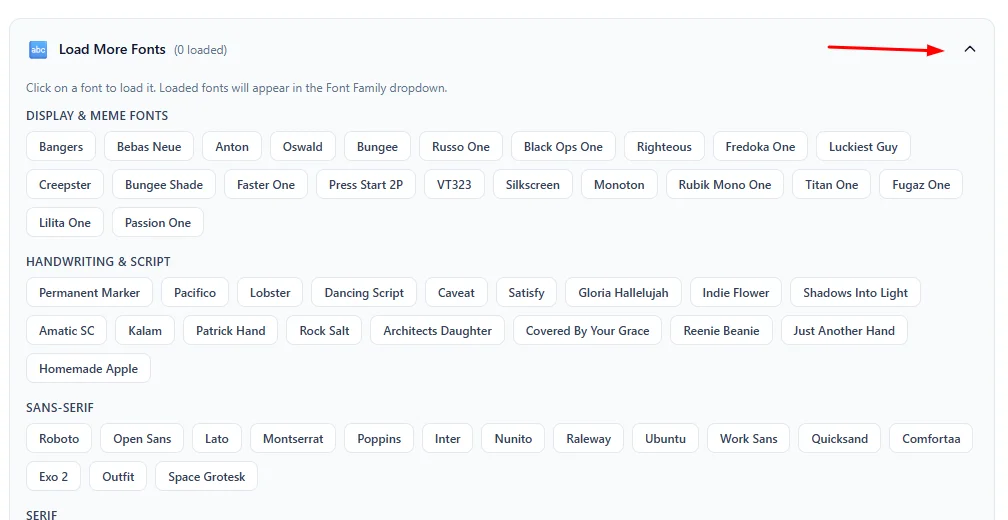
Click on a font to load it. Loaded fonts will appear in the Font Family dropdown.
⚙️ How to Use This Tool
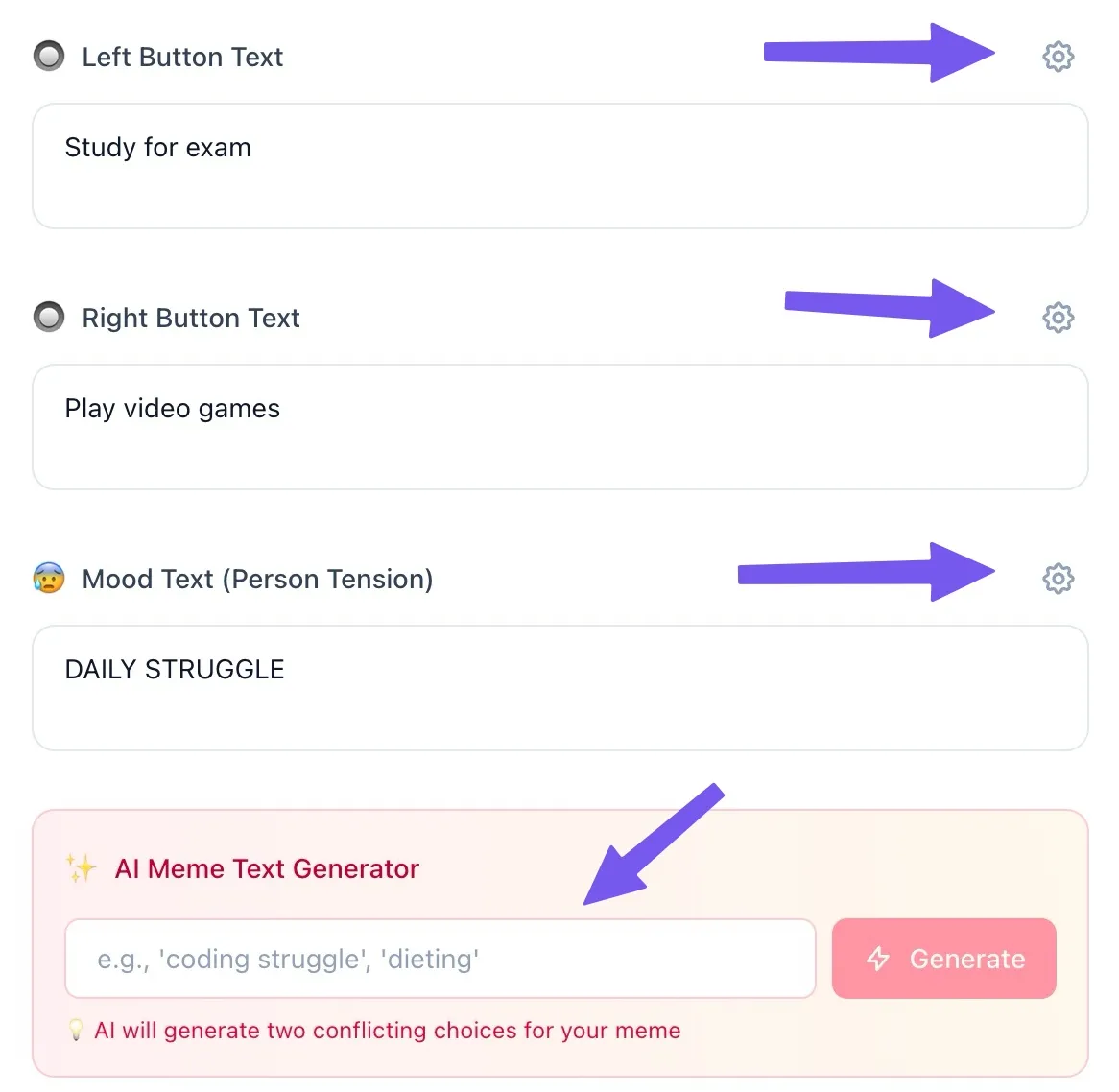
Add Meme Text
Enter your primary options into the Left Button, Right Button, and Mood Text fields. You can also use the AI generator for inspiration.
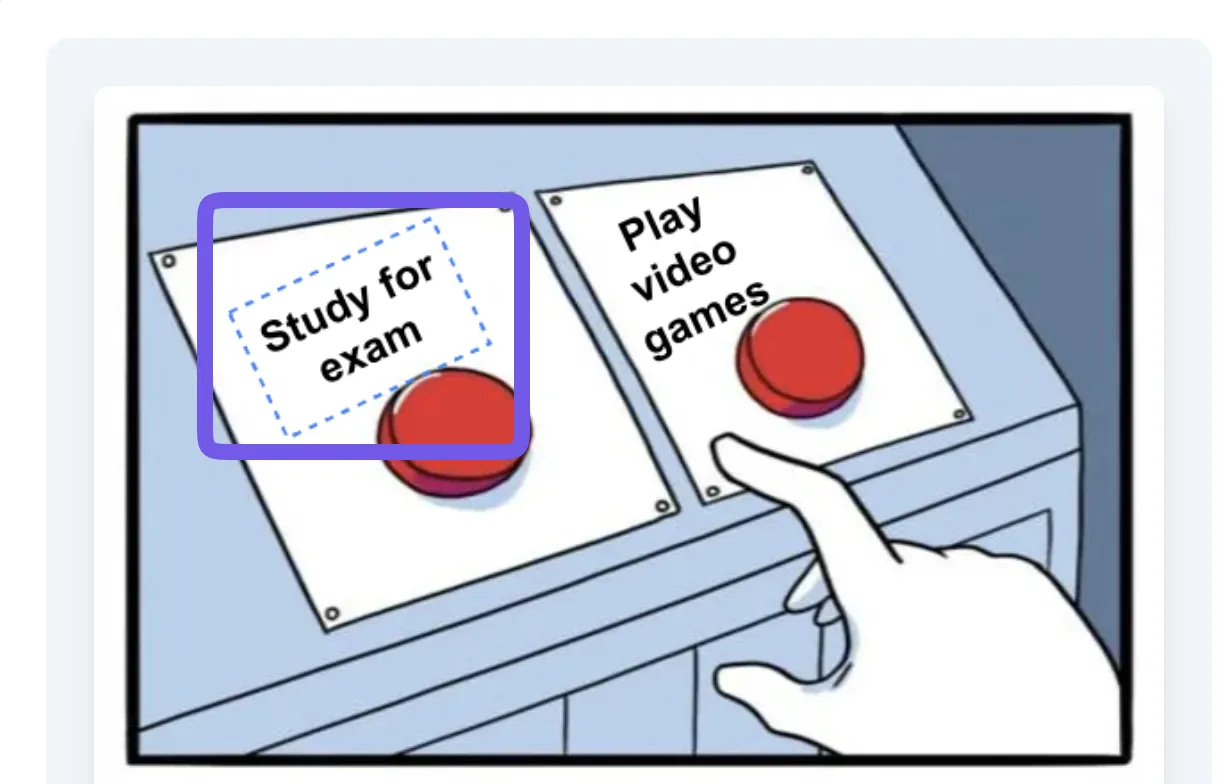
Drag and Drop Texts
Simply click or touch any text element directly on the canvas and drag it to your preferred position for pixel-perfect placement.
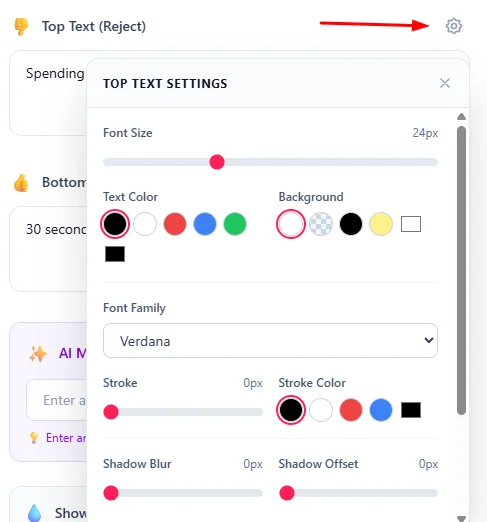
Customize Text Style
Open the settings for each text field to adjust the font size, color, background, and other styling options to match your vision.
Load Custom Fonts
Browse and load hundreds of Google Fonts to find the perfect typography that gives your meme its unique character and vibe.
Remove Watermark
If you prefer a clean look, use the watermark toggle to remove the branding from your final meme before downloading.

Download Your Meme
Once you are happy with the layout, click the Download Meme button to save your high-quality PNG and share it with the world!
📖 About Two Buttons Meme Generator
What is the Two Buttons Meme?
The Two Buttons meme, also known as "Daily Struggle," is a popular two-panel comic featuring a character (originally from the webcomic The Daily Struggle by Jake Clark) sweatily considering two buttons, both of which represent difficult or conflicting choices.
- Top panel: Two red buttons with labels above or on them, representing the dilemma.
- Bottom panel: A muscle-bound character wiping sweat from his forehead, visibly stressed by the decision.
This format is perfect for highlighting hypocrisy, difficult dilemmas, or the struggle of choosing between two equally challenging options.
Common Use Cases
- Hypocrisy memes: Comparing two contradictory beliefs or statements.
- Hard decisions: Relatable struggles between two appealing or unappealing choices.
- Gaming/Tech humor: Dilemmas faced by developers or gamers.
- Workplace humor: Relatable office situations and corporate decision-making.
- Social media: High-engagement content for Twitter, Instagram, and Reddit.
Key Features
AI Meme Text Generator
Instantly create hilarious captions for your memes with our AI-powered generator. Enter a topic, and let the AI provide you with clever conflicting choices tailored to your subject.
Draggable Text & Live Preview
Position your text exactly where you want it. Simply click or touch any text element on the canvas and drag it to your preferred location. The live preview updates instantly as you type and move elements.
Advanced Text Styling
Customize every aspect of your meme text with our comprehensive styling options:
- Font Size & Family: Choose from system fonts or load popular Google Fonts like Impact, Bebas Neue, and more.
- Text Capitalization: Instantly toggle your captions between Normal, ALL CAPS, and Title Case.
- Text & Background Colors: Pick from preset colors or use the custom color picker.
- Text Stroke: Add bold outlines for that classic meme look.
- Drop Shadow: Apply shadow effects for better readability.
Instant Download
Download your finished meme as a high-quality PNG image, ready to share anywhere.
Client-Side Processing
All meme generation happens in your browser. Your text and images are never uploaded to any server, ensuring complete privacy.
Privacy & Security
Your meme text is processed entirely in your browser using HTML5 Canvas technology. Nothing is uploaded to our servers. Create your memes with confidence knowing your content stays private.
❓ Frequently Asked Questions
Version History
Added draggable text support and improved layout
Feb 18, 2026
Initial release
Feb 18, 2026

Raakkan (Sankar)
AI-driven Full Stack Developer
Indie developer from Tamil Nadu building fast, privacy-first web tools. Creator of Lovable Tools — a growing collection of free utilities and AI-powered tools.