Word to HTML Converter
Convert Word documents (DOCX, DOC) to clean, semantic HTML instantly and securely.
💡 How to Use This Tool
Converting your Word documents to HTML takes just a few clicks. Follow these simple steps:
Upload Your Word Document
Click the upload area or drag and drop a Word file (.doc, .docx - up to 100 MB).
Conversion Starts Automatically
Your file is securely uploaded and the conversion task is queued on my server instantly — no button to press.
Monitor Progress
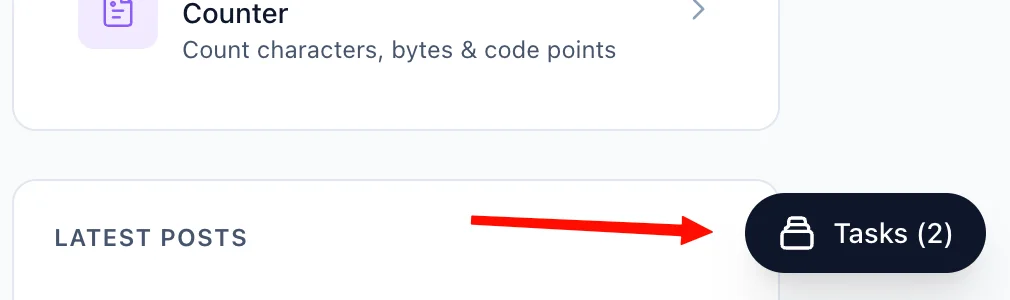
The Recent Tasks list below the upload area tracks your conversion in real time (queued → processing → completed). You can also navigate away — a floating Tasks button in the bottom-right corner of every page lets you check status and download your output file from anywhere on the site.
Download Your HTML File
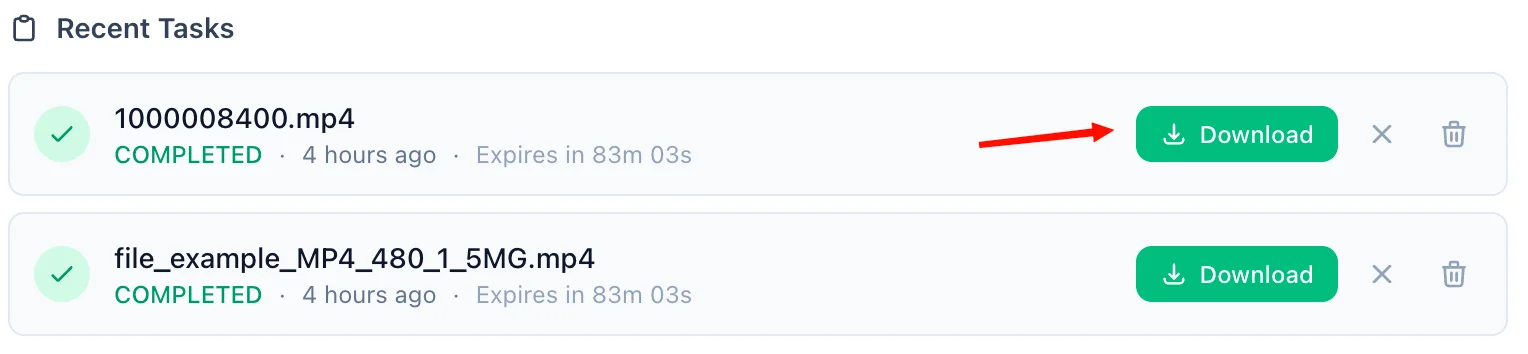
Once complete, a green Download button appears on the task row. Click it to save the HTML file to your device. A live countdown shows how long the link remains valid — download links expire after 90 minutes.
Refresh an Expired Link
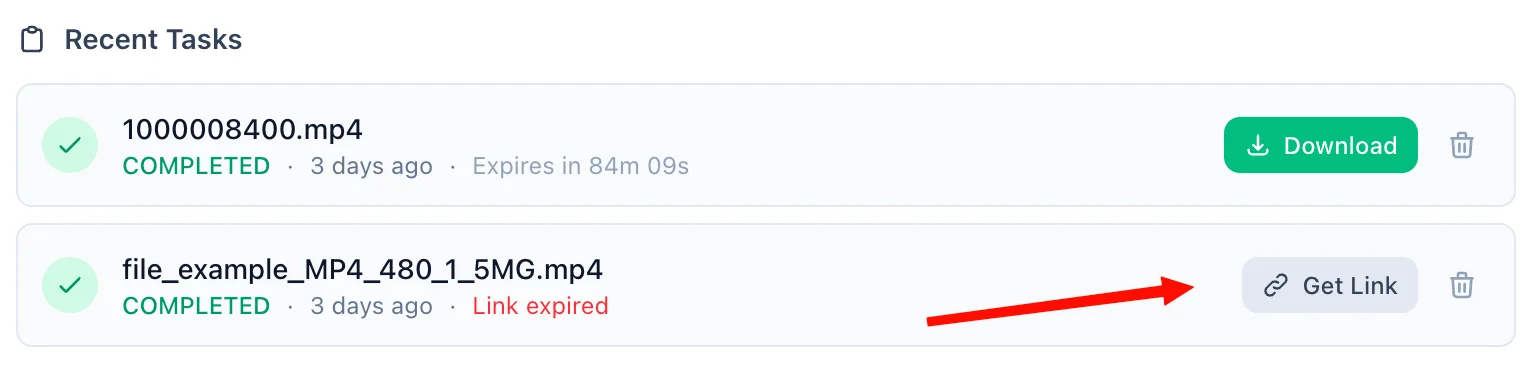
If 90 minutes have passed, the Download button is replaced by an amber Refresh Link button. Click it to generate a fresh 90-minute link on demand — no need to re-upload or re-convert.
Delete When Done
Each task has a trash icon. Clicking it immediately removes the task and permanently deletes the output file from my servers — giving you full control over your data at any time.
📖 About Word to HTML Converter
What is Word to HTML Converter?
Our Word to HTML Converter is a powerful tool designed to take your Microsoft Word documents (.doc and .docx) and transform them into clean, semantic HTML code. Whether you're publishing content to a website, blog, or content management system, this tool quickly and securely provides the HTML structure you need without the bloat often found in Word-generated HTML.
Common Use Cases
- Web Publishing: Easily migrate articles or blog posts written in Word to your website's CMS.
- Email Templates: Convert formatted Word documents into HTML for use in email marketing campaigns.
- Documentation: Transform your manuals and guides into web-ready HTML formats.
Key Features
Instant Conversion
Simply upload your document and the conversion happens seamlessly. Within moments, you will receive a clean .html file that is ready for deployment.
Semantic HTML
The converter ensures that headings, paragraphs, lists, and tables are properly encapsulated in the correct semantic HTML tags, providing better accessibility and SEO.
Privacy & Security
Your privacy is our priority. Your documents are securely uploaded over an encrypted connection, processed instantly on our isolated file server, and any files are automatically deleted after 90 minutes. We do not inspect, share, or store your documents permanently.
Technical Details
This tool supports both .doc and .docx file formats up to 100MB. It utilizes robust conversion libraries to extract the content and formatting, mapping them directly to standardized HTML 5 code. No complex setup or software installation is required.
❓ Frequently Asked Questions
Version History
Initial release
Mar 26, 2026

Raakkan (Sankar)
AI-driven Full Stack Developer
Indie developer from Tamil Nadu building fast, privacy-first web tools. Creator of Lovable Tools — a growing collection of free utilities and AI-powered tools.