
How to Use ChatGPT Codex for Free in 2026: Complete Step-by-Step Guide

Want to test ChatGPT Codex models for coding without paying? Good news — there’s a limited-time opportunity to access ChatGPT Codex for free, even if you’re using a Free or Go plan.
ChatGPT Codex is designed to help developers write, debug, and understand code faster. If you’ve already signed up for ChatGPT, you may have received an email invitation to try Codex. In this guide, you’ll learn exactly how to activate free access and optionally install the desktop app for local development projects.
Let’s get started.
Step-by-Step: How to Access ChatGPT Codex for Free
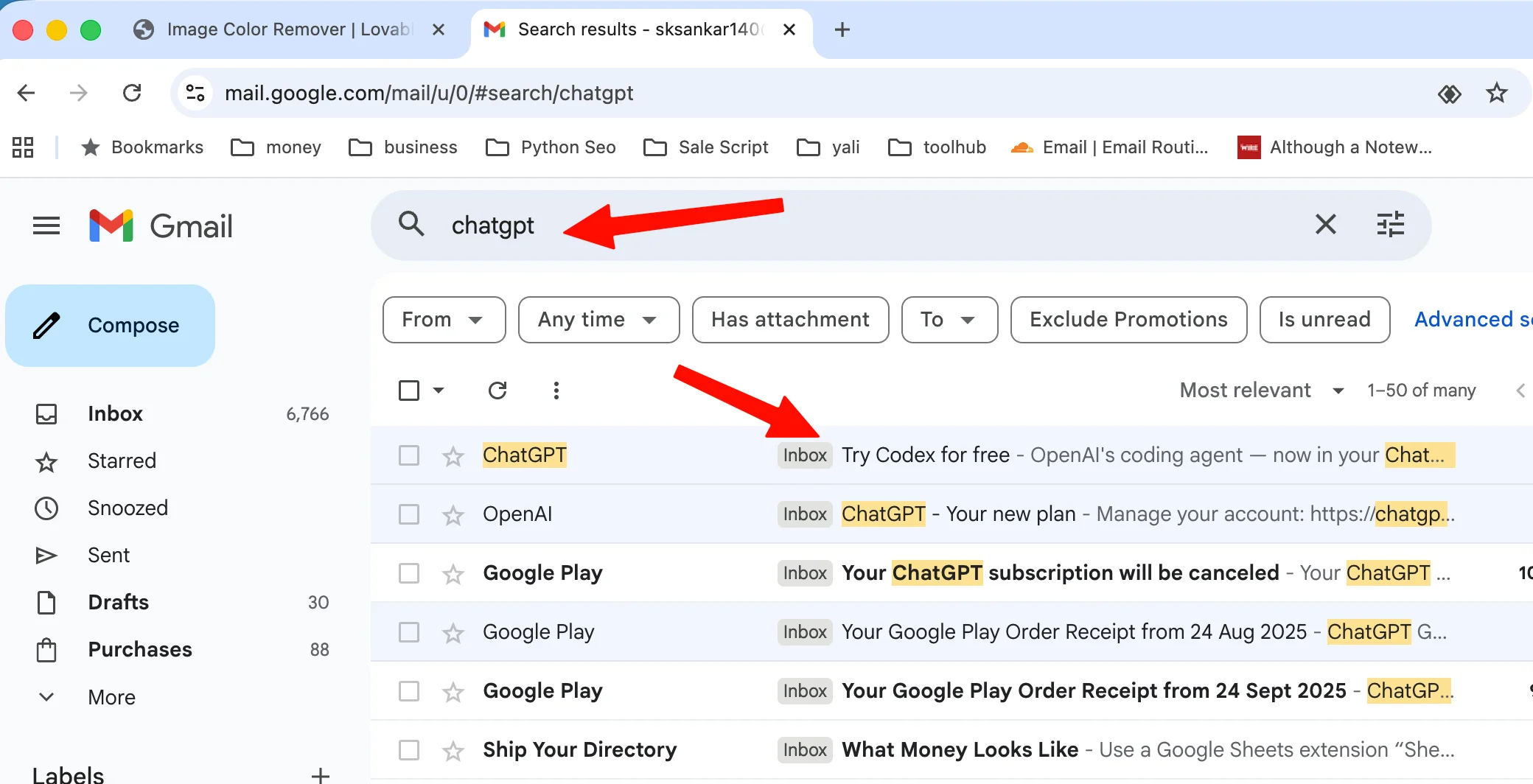
Step 1: Open Your Email and Search for the Codex Invitation
Go to your email account (for example, Gmail). In the inbox search bar, type:
chatgpt
Look for an email with a subject like “Try Codex for Free” and open it.
💡 Tip: If you don’t see it in your main inbox, check your Spam, Promotions, or Updates tabs.
Step 2: Click the “Try Codex” Button
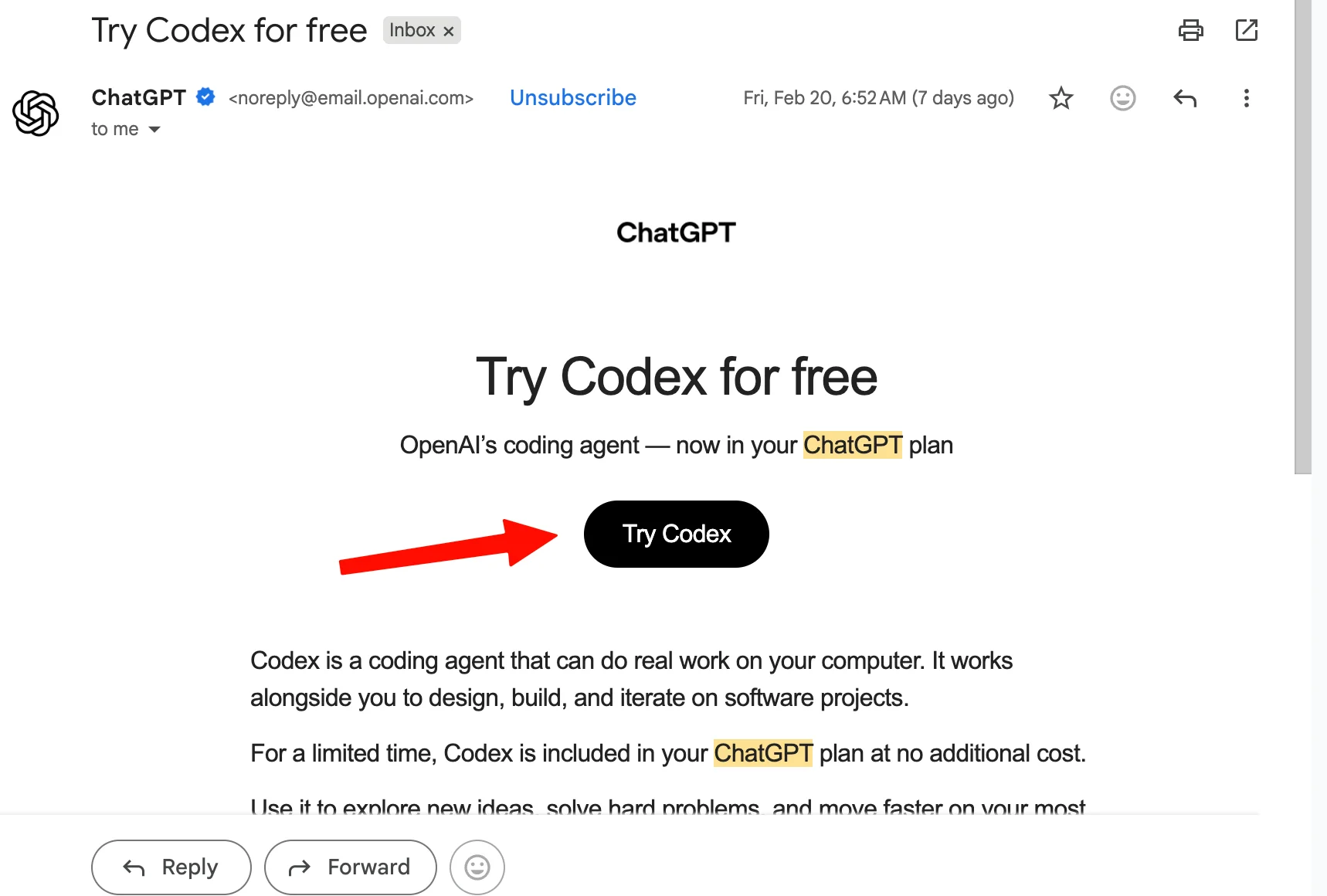
Inside the email, you’ll see a button labeled “Try Codex”.
Click that button to activate your free access.
This will redirect you to your ChatGPT account and enable Codex features.
Step 3: Start Using ChatGPT Codex for Free
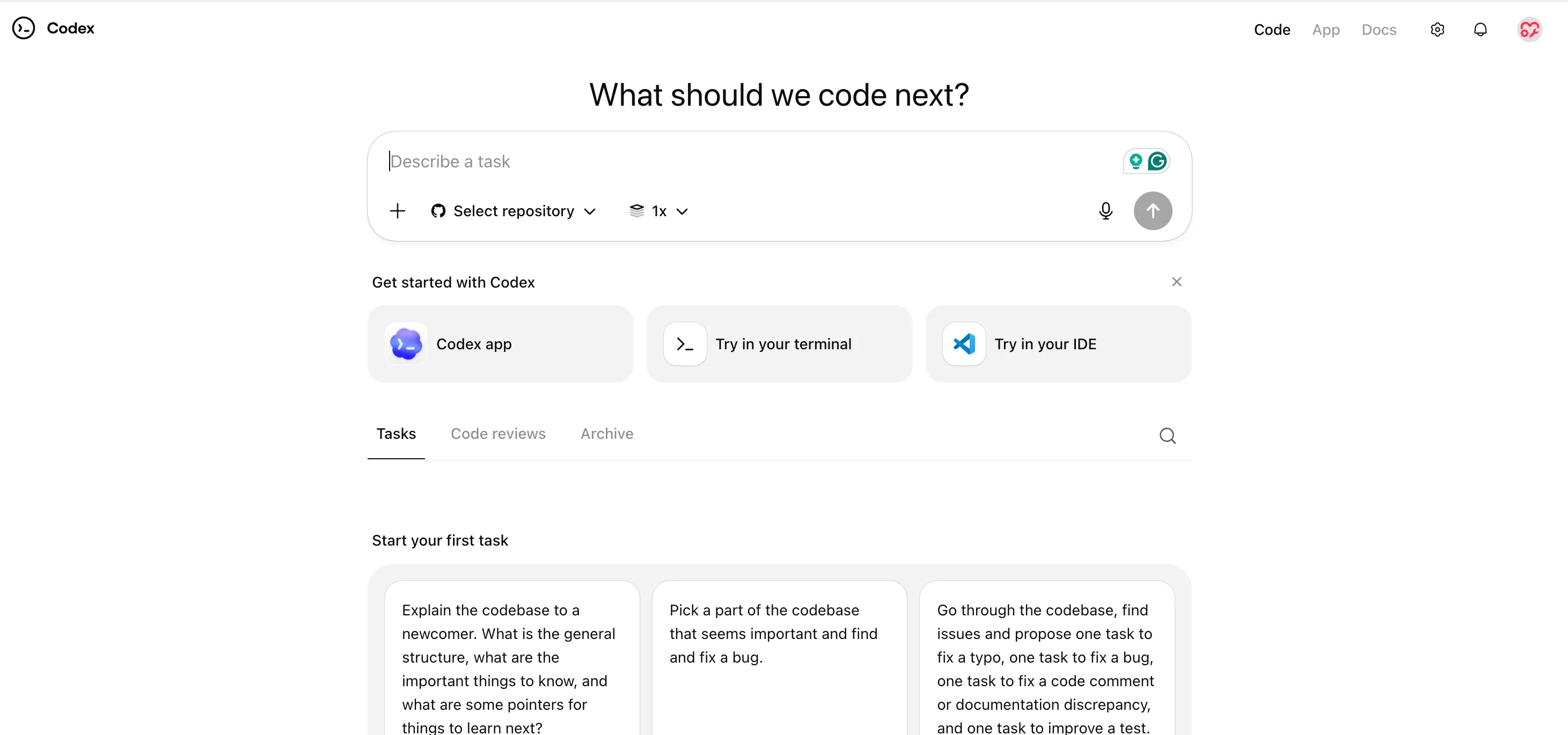
That’s it! Once you click the button and log in, you can now access ChatGPT Codex from your account.
You can begin testing coding prompts, generating scripts, debugging errors, or building small projects.
Step 4: (Optional) Download the Desktop App for Local Projects
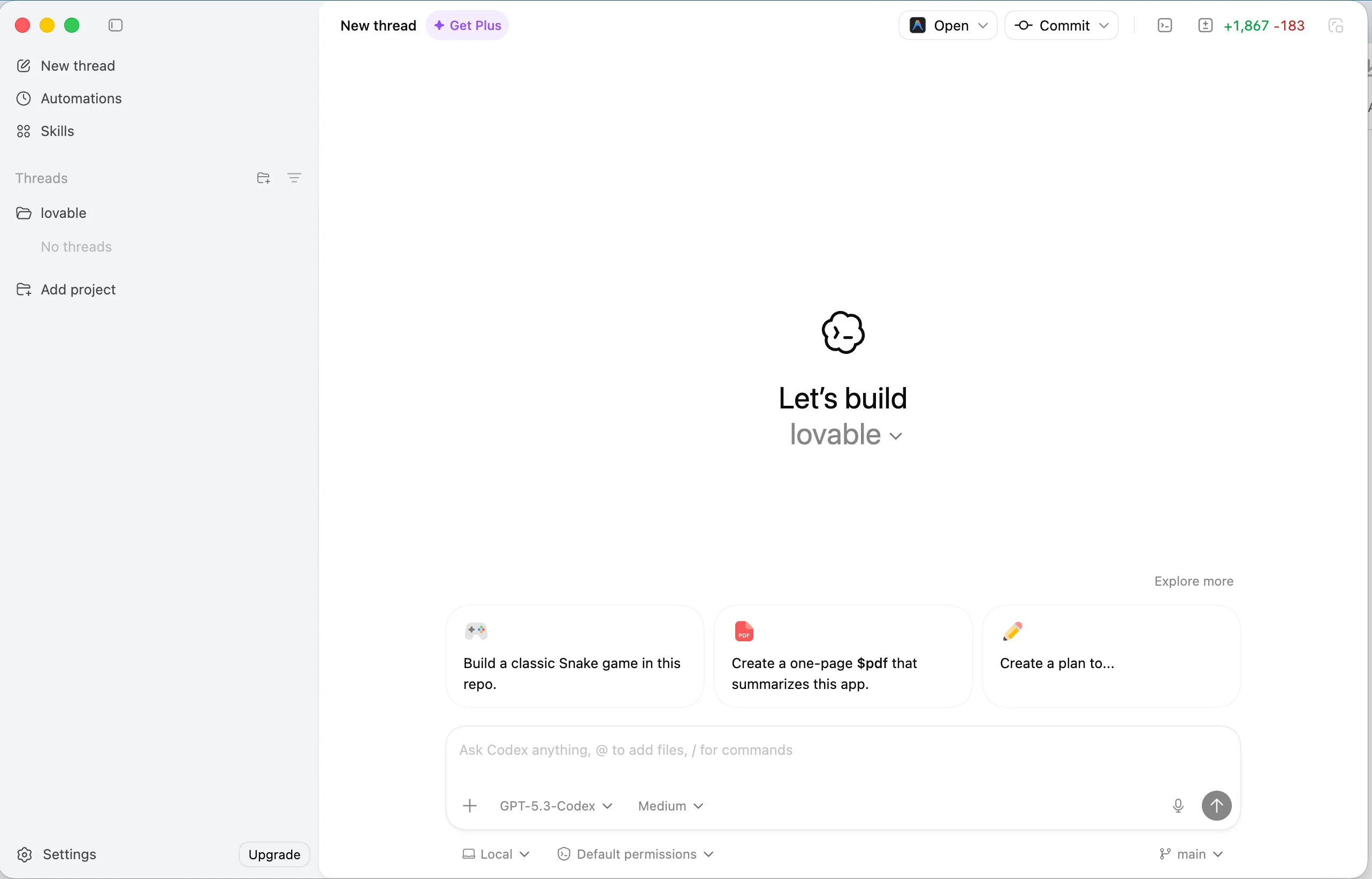
If you prefer working on desktop or managing local coding projects, you can download the ChatGPT desktop app.
After downloading:
- Install the app.
- Log in using your existing free ChatGPT account.
- Start using Codex for your local development work.
FAQ
Is ChatGPT Codex really free in 2026?
Yes, for a limited time, free and Go plan users may receive email access to test Codex. Availability may vary by account.
What if I didn’t receive the Codex email?
Try creating a new ChatGPT account and go to this link https://chatgpt.com/codex use it.
Do I need a paid subscription to use Codex?
Not necessarily. Some users can access Codex through promotional or limited-time access without upgrading.
Can I use ChatGPT Codex for real coding projects?
Yes. Codex models are designed to help with writing, debugging, and understanding code across multiple programming languages.
How does Codex compare to other AI coding models?
Performance can vary, but many users report that recent Codex versions perform at a high level for coding tasks. Testing it yourself is the best way to evaluate it for your workflow.
Conclusion
Now you know exactly how to access ChatGPT Codex for free in 2026.
By simply checking your email, clicking the activation link, and logging in, you can start testing advanced AI coding capabilities right away. If you prefer working locally, the desktop app makes it even easier to integrate Codex into your development workflow.
If you’ve tested ChatGPT Codex, how does it perform for your projects? Try it out and see how it fits into your coding process.
Related Posts

14 Free AI Image Generators You Can Use in 2026 (Unlimited & No Watermark Options)
16 min · 672 views

Use AI Models Unlimited for FREE: No Token Limits for Coding (2026)
4 min · 2,509 views

Punch the Monkey Latest Update (2026) – Viral Story, Zoo Progress & Create Your Own Meme
1 min · 1,695 views

💬 Comments (0)
Leave a Comment
No comments yet. Be the first to comment!